
WhatsApp with real buttons
Submitted to Meta as a template per language; while Meta reviews a new version, the last approved one keeps going out. More under WhatsApp for hotels.
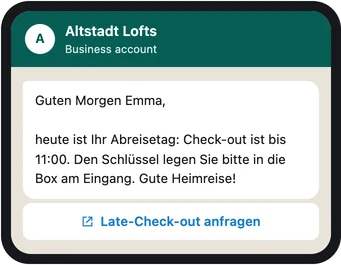
For teams that no longer want to send the same information by hand for every booking: you define once which message goes out when and on which channel. HAYP sends it at the planned time and shows for every delivery whether it arrived.
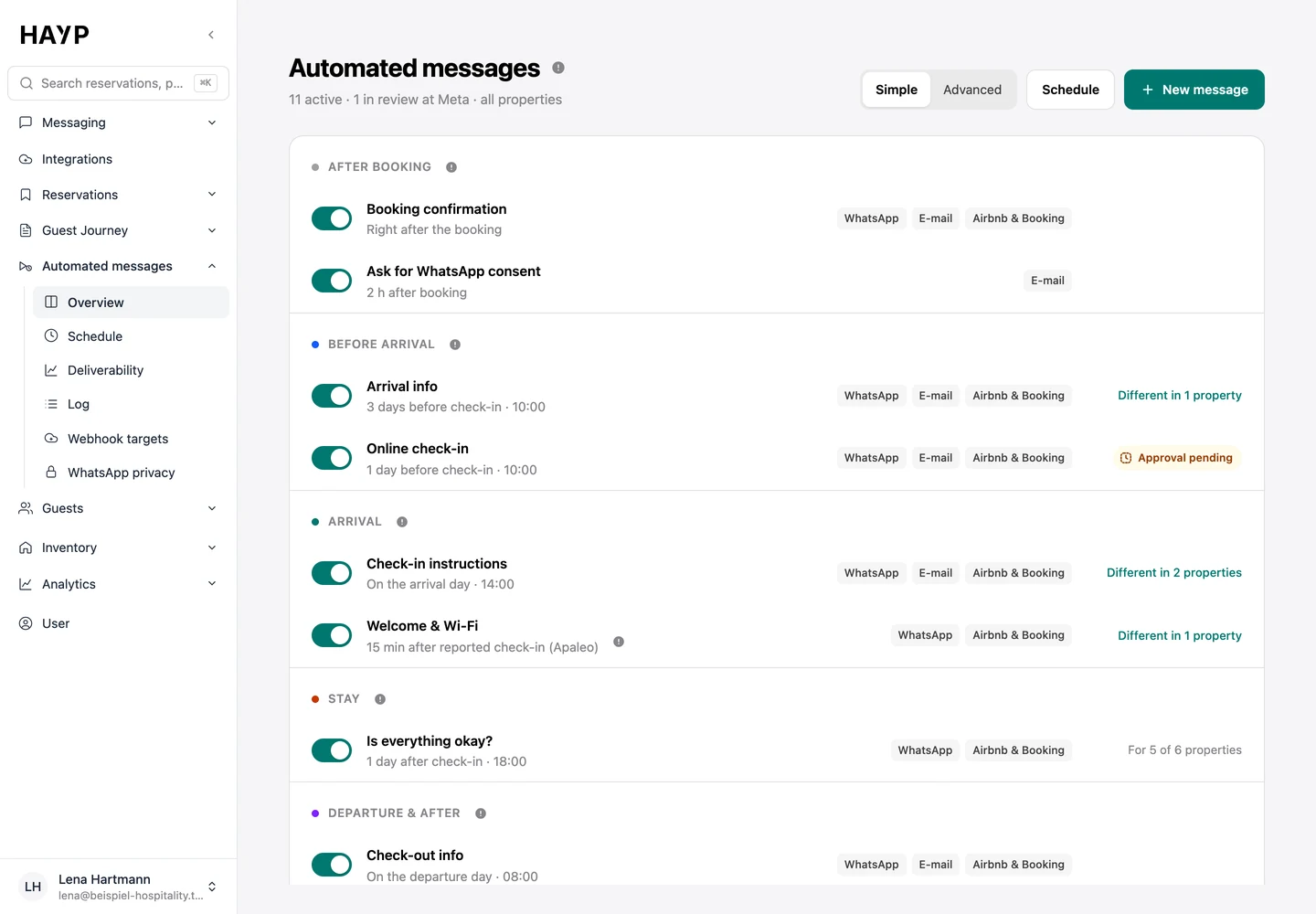
Two properties get by with a list. With twenty you need to see which version applies where.
Every message by phase of the stay, with timing, channels and a switch; on the right, where a property differs.
The matrix shows every message on every level: general, property, unit group and unit. A symbol says whether the level inherits, has its own version or is switched off.
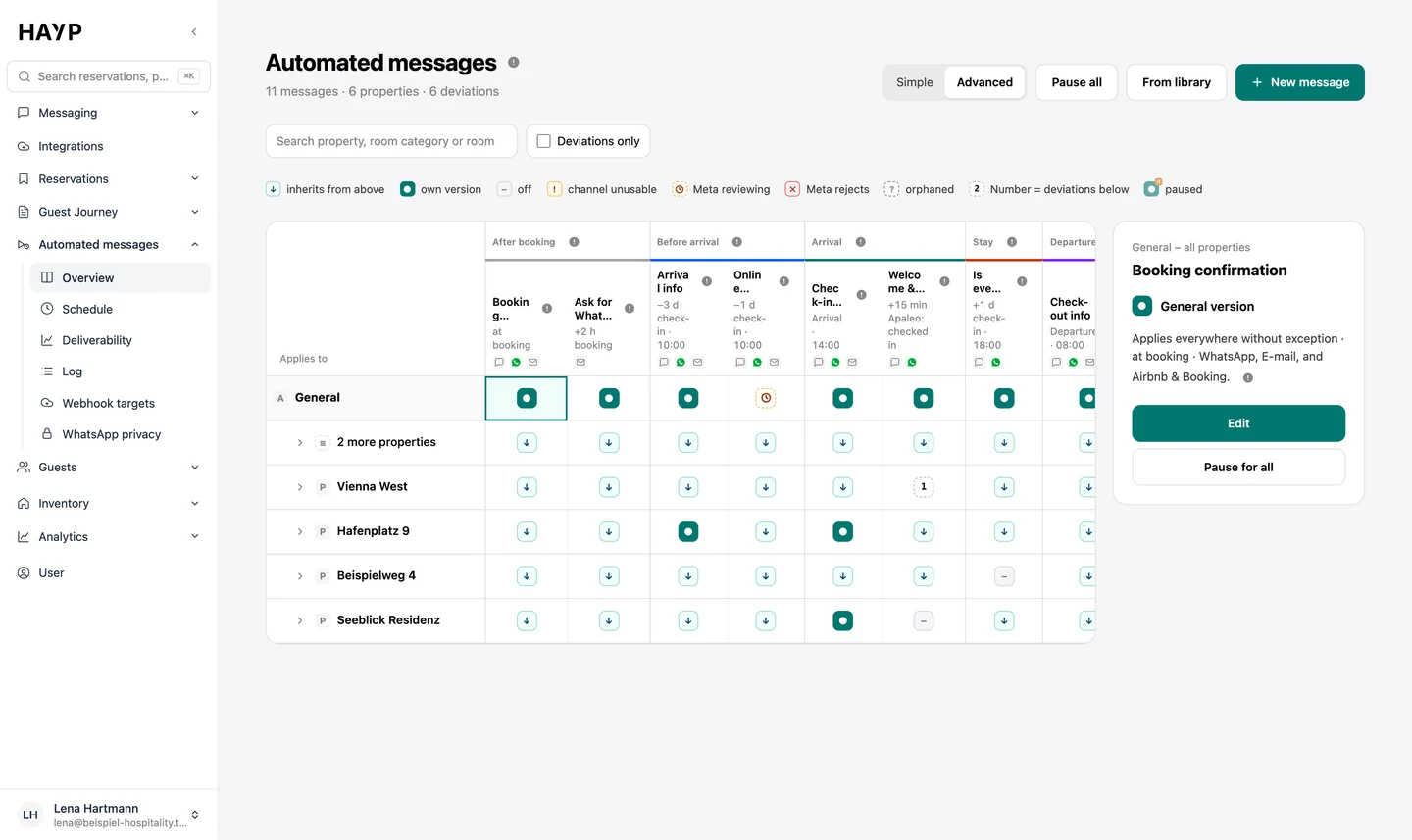
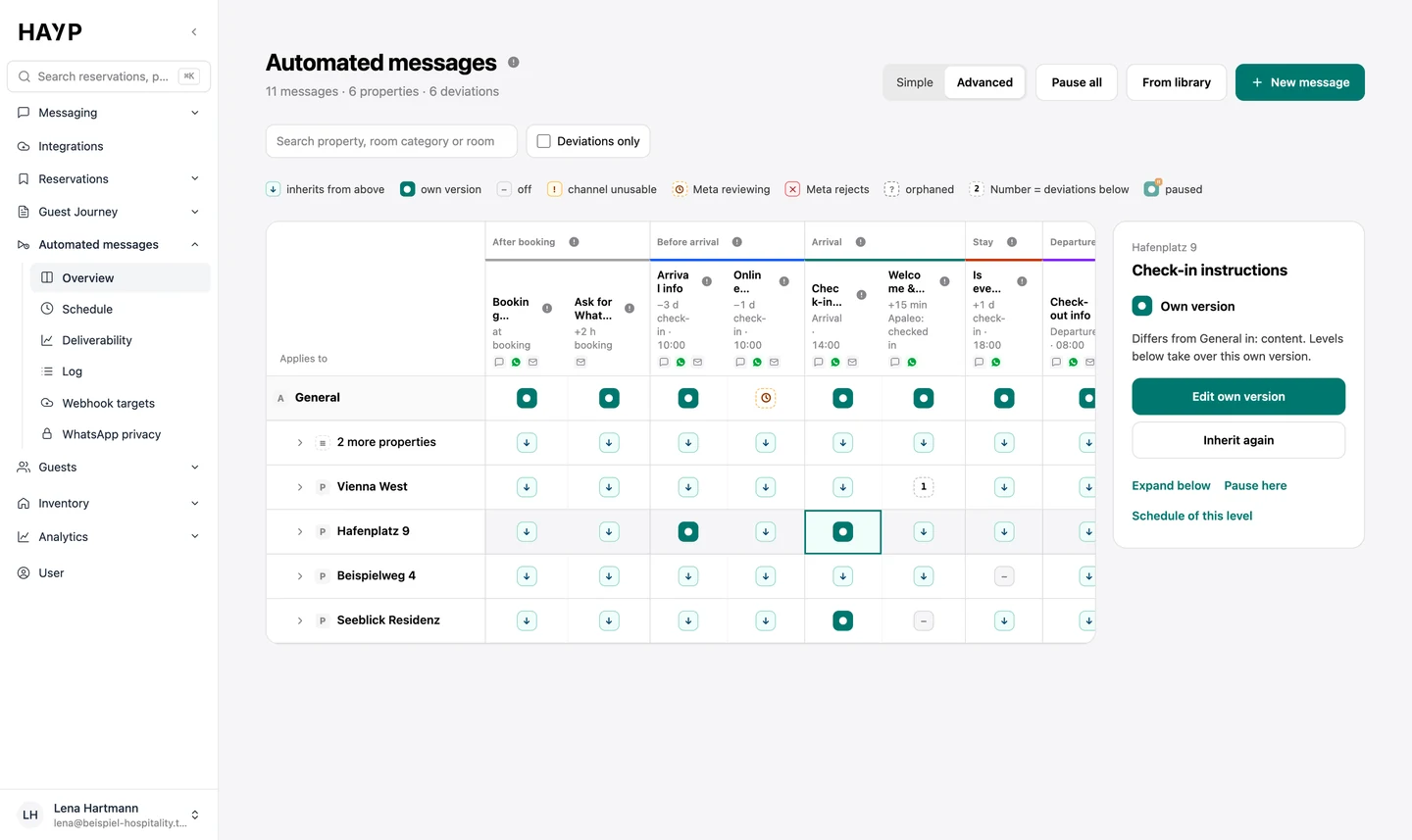
Click a cell to see what differs there, open the own version or return to the general one.
“What a guest receives” runs through a sample booking with the fixed check-in and check-out times and the time zone of the selected property.
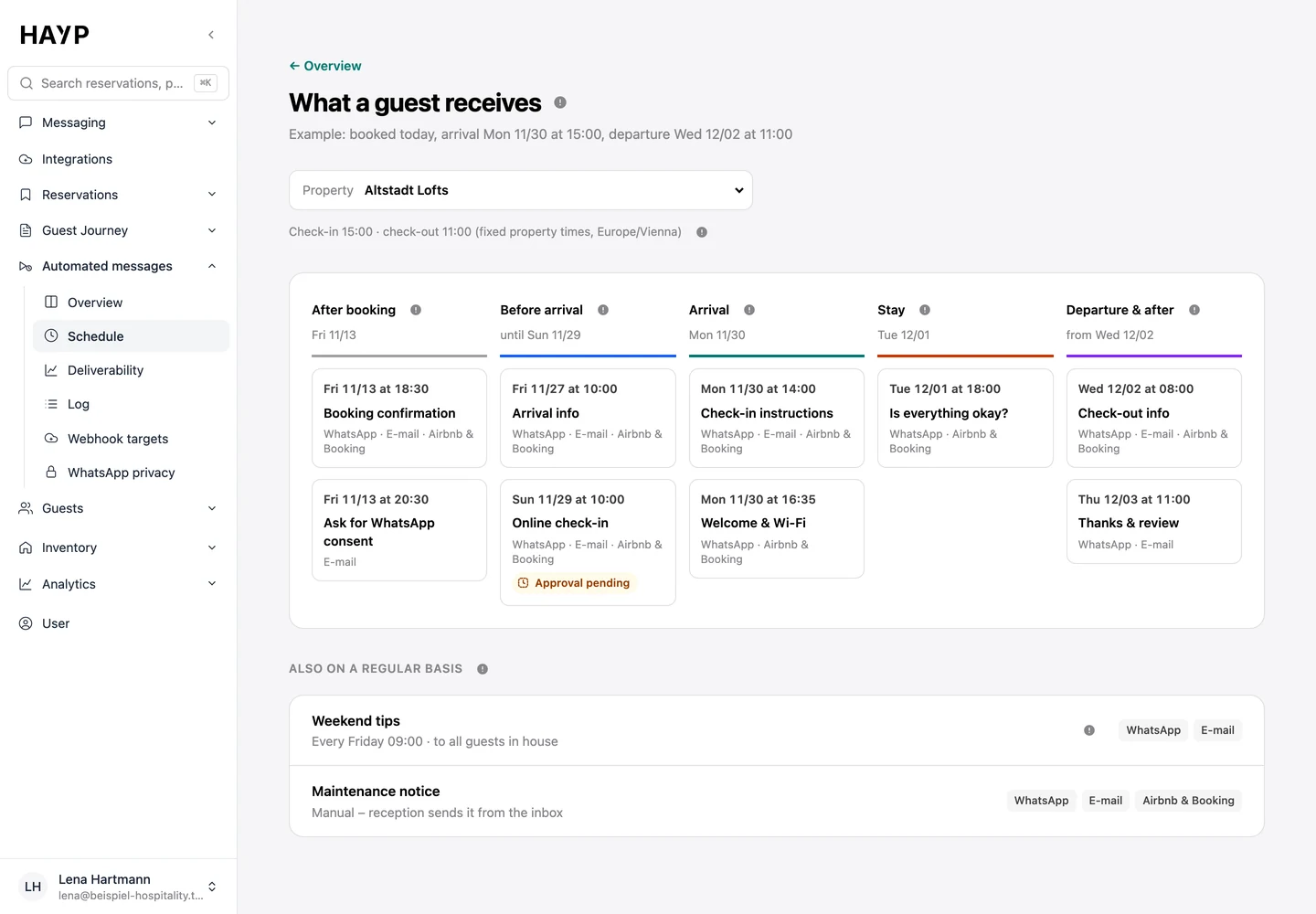
Every message has a trigger, one or more channels, a text and, where needed, send rules. Triggers come from the reservation in the PMS (Apaleo is integrated directly): booking created or canceled, planned arrival and departure, check-in, check-out and room change. On top come the completed pre-check-in, fixed times such as every Friday at 9 am, and sending by hand from the inbox.
All times use the time zone of the property. If a guest books so late that the time has already passed, you decide: send at once or skip.
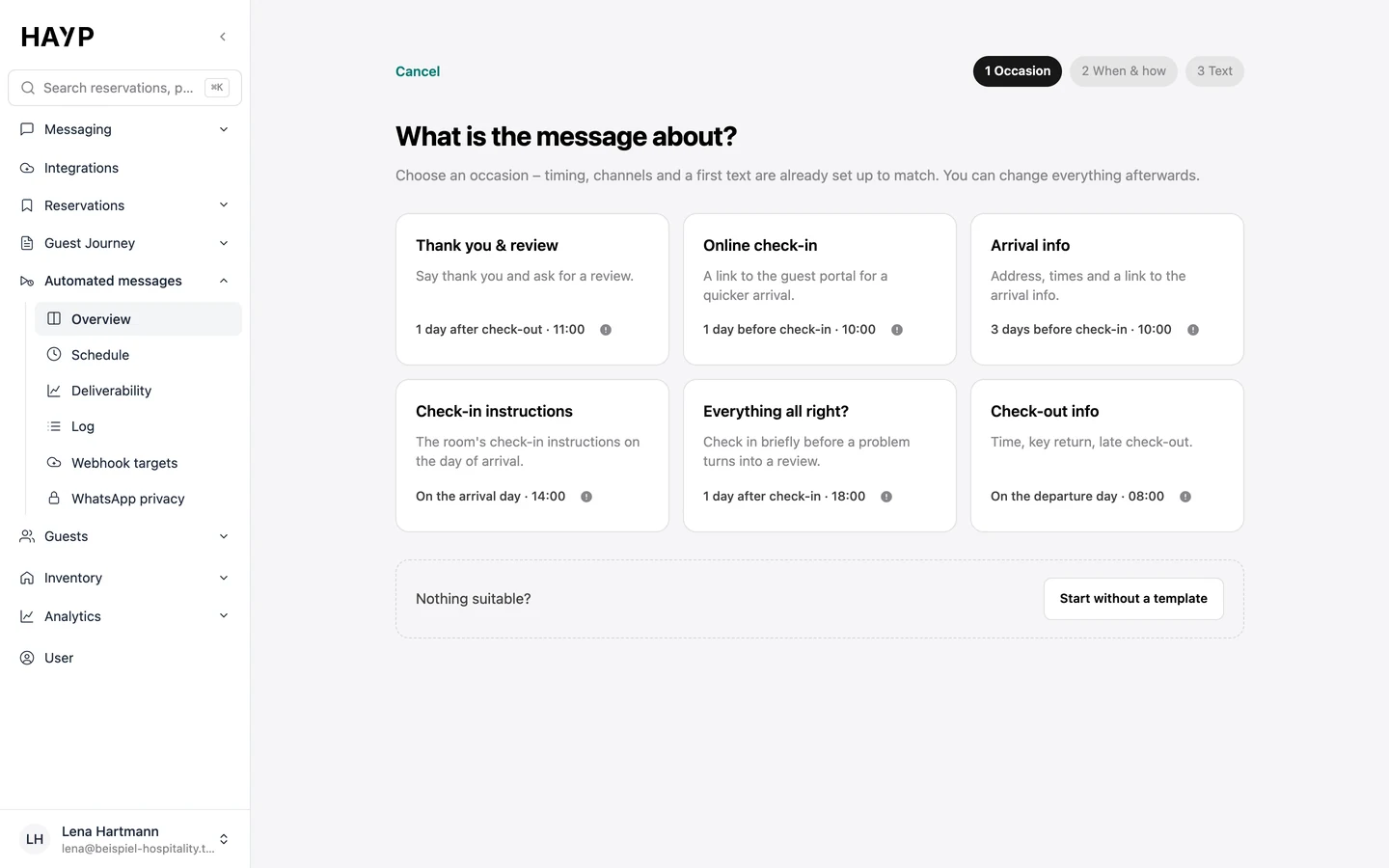
A wizard takes you to an active message in three steps. After that, the editor shows every setting on its own.
Start from a template such as arrival info, online check-in or thanks & review. Timing, channels and a first text are already set.
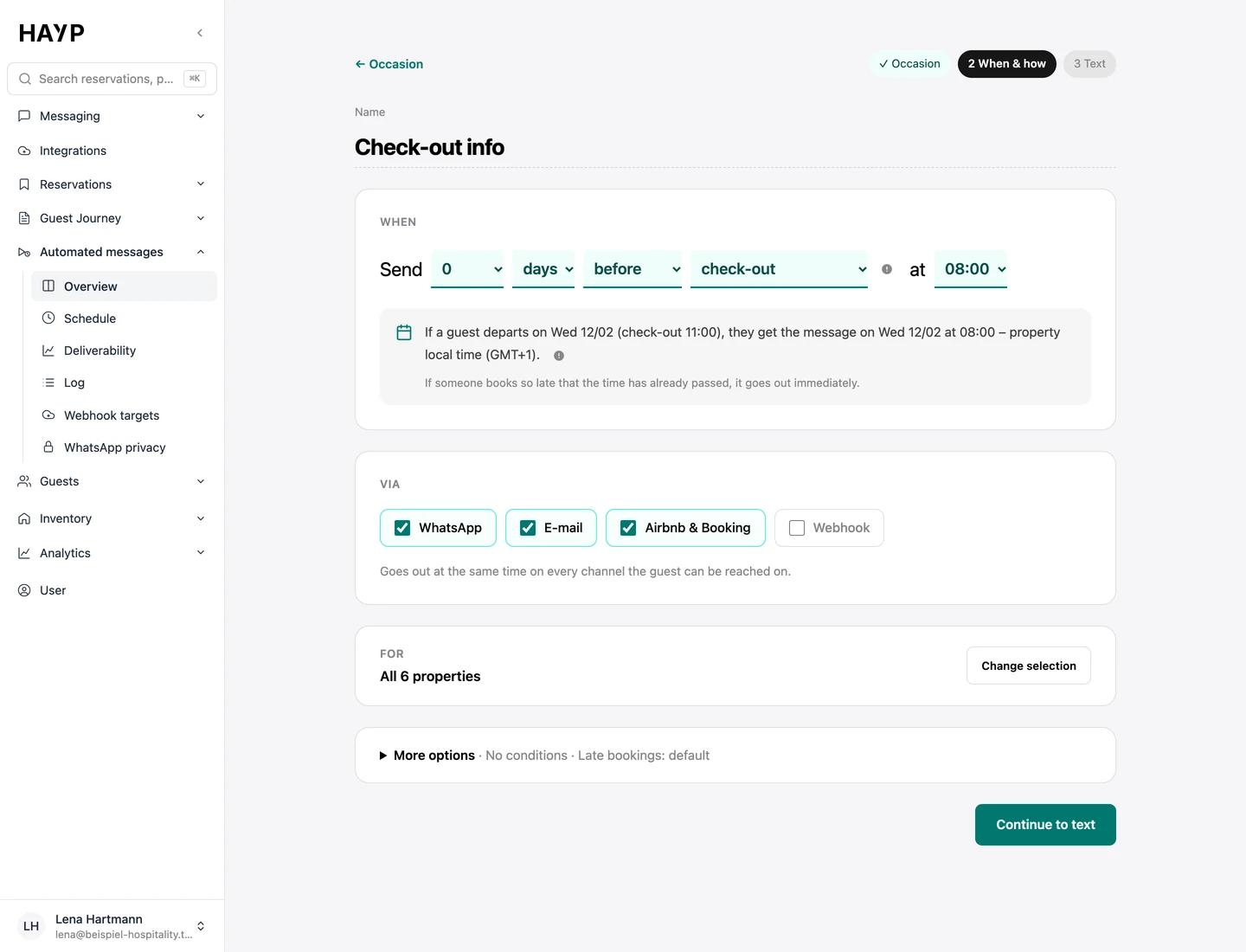
“Send 0 days before check-out at 08:00”: below it you see when the message would go out for a sample booking, in the property's local time.
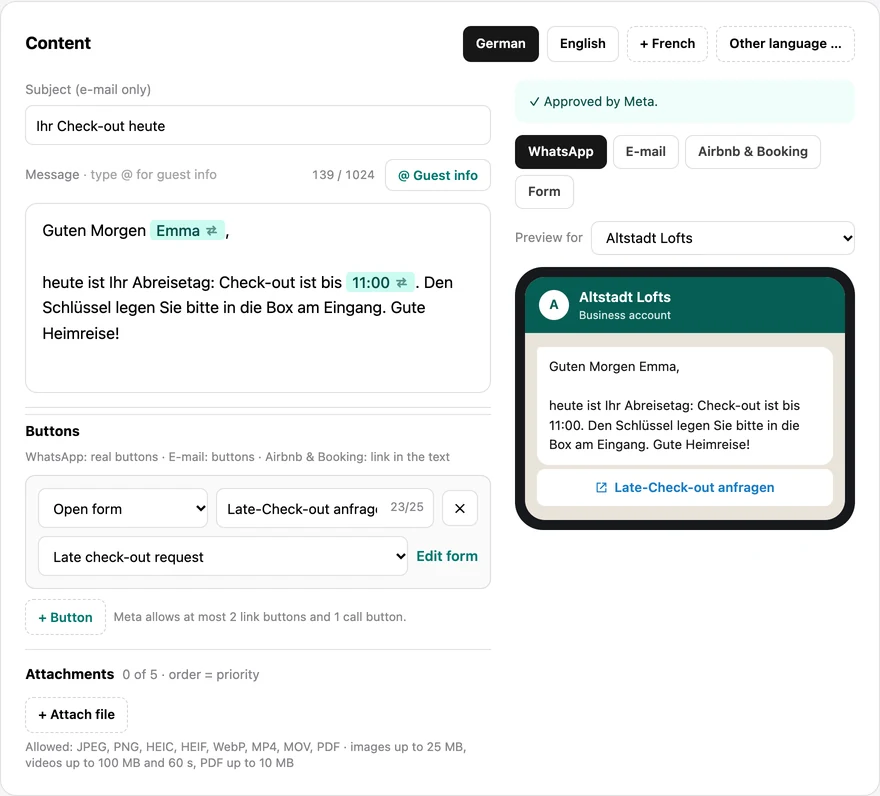
Type @ to insert guest info such as first name or check-out time; the preview shows the values of the selected property. Buttons open a link or a form, send a quick reply or start a call.
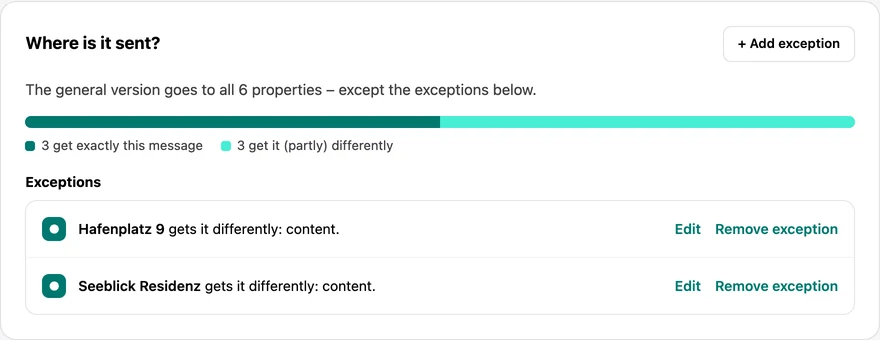
The general version applies to every property. Exceptions are listed below it, for example separate check-in instructions for Hafenplatz 9.
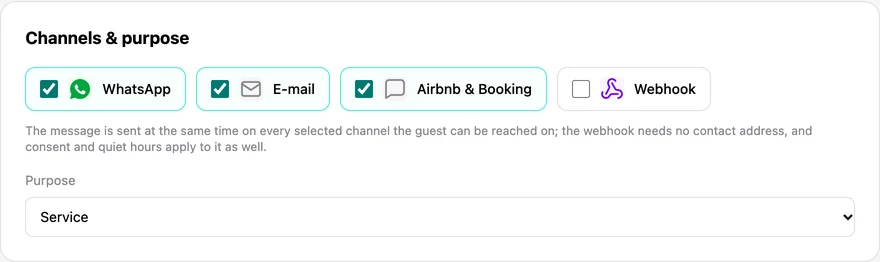
WhatsApp, email, Airbnb & Booking and webhook can be chosen per message. The message goes out on every selected channel on which the guest can be reached.
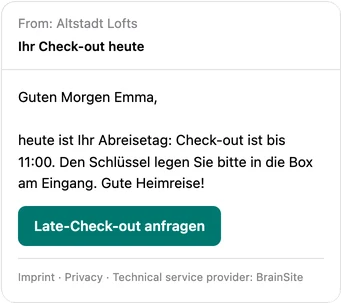
One text for every channel: the preview shows how it arrives. Forms collect guest answers without anyone having to ask.
Submitted to Meta as a template per language; while Meta reviews a new version, the last approved one keeps going out. More under WhatsApp for hotels.
Emails carry the property's legal notice and privacy policy; marketing and review requests also carry an unsubscribe link. Without a legal notice, such emails do not go out at all.
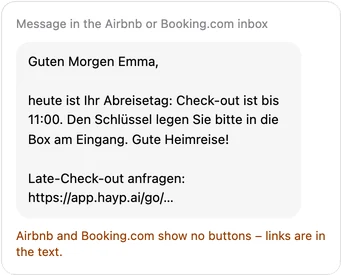
Only service messages for a booking go through the channel connection. HAYP holds back texts with more than one link or with contact details, and the editor warns you first. Expedia guests receive the message as plain text, without attachments.
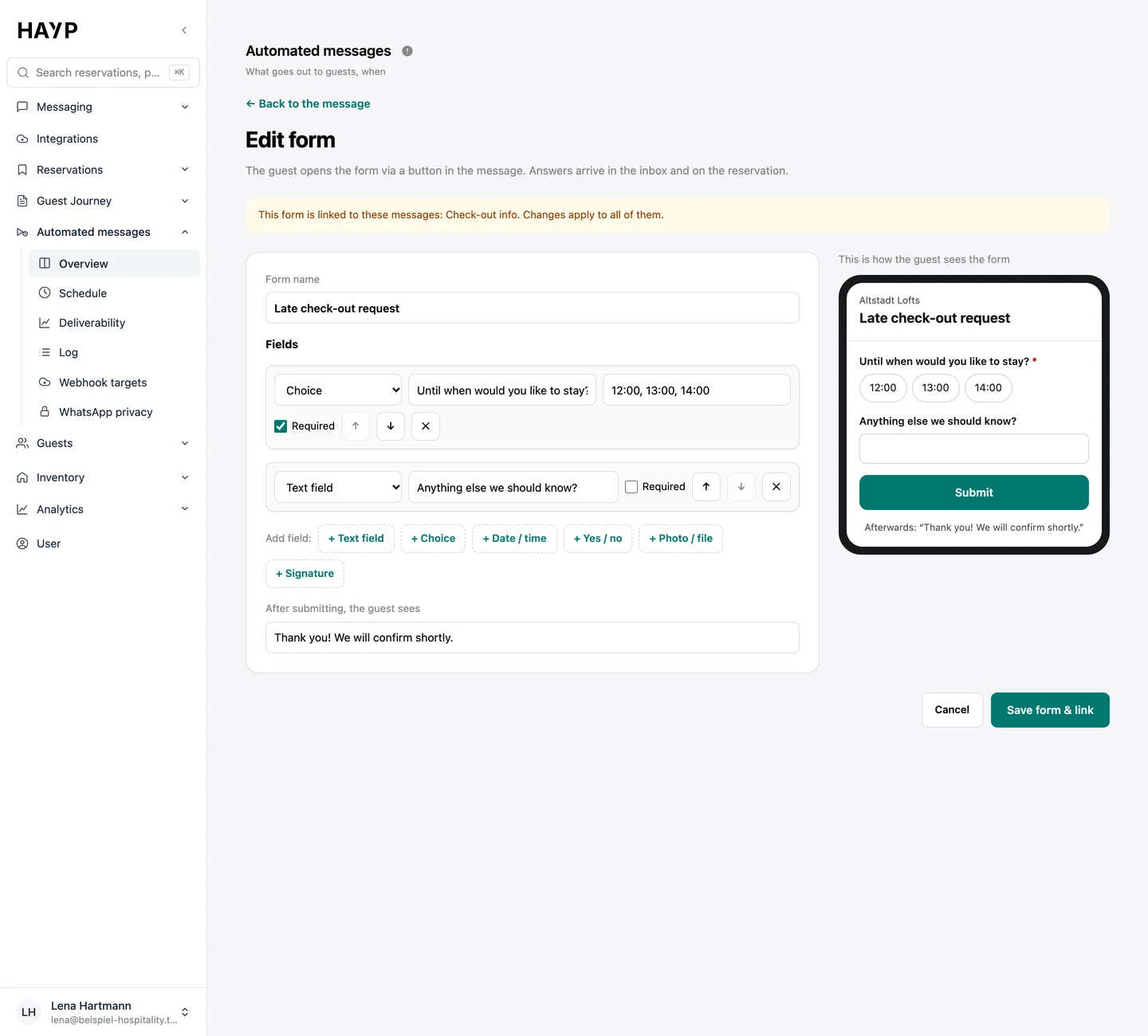
Fields for text, choice, date, yes/no, photo and signature. The guest opens the form from a button; answers land in the inbox and on the reservation.
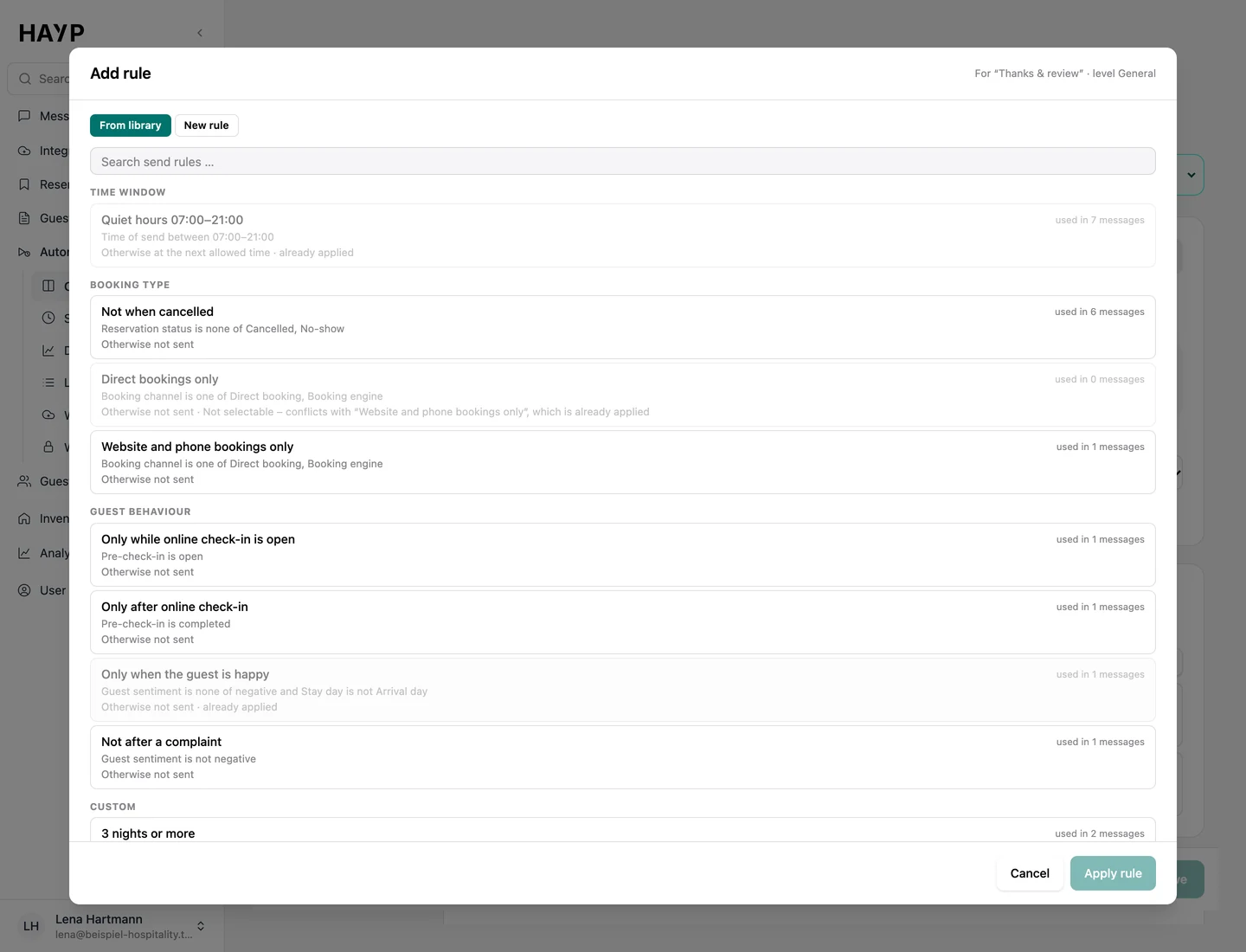
Send rules decide shortly before sending whether a message goes out, is deferred or is skipped. Conditions include the time of day, booking channel, reservation status, the guest's language and reachability, length of stay, arrival or departure day, the state of the pre-check-in and the mood of the conversation.
A library of time windows, booking types, guest behavior and own rules.
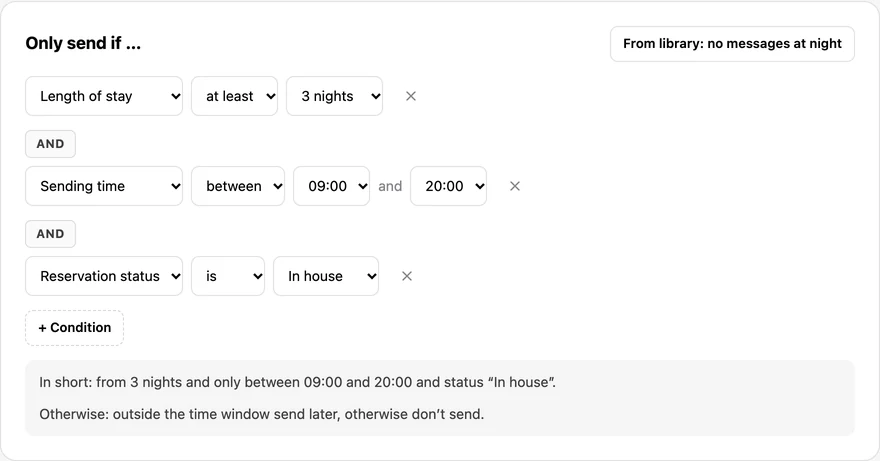
Simple conditions as rows: length of stay, time of sending, reservation status.
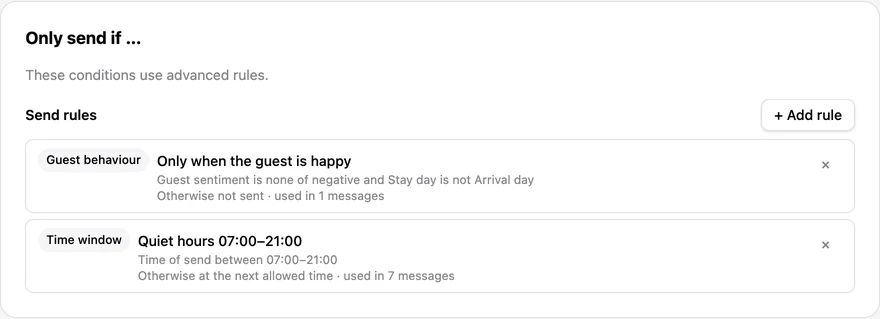
The review request's rules: only when the guest is happy, never in quiet hours.
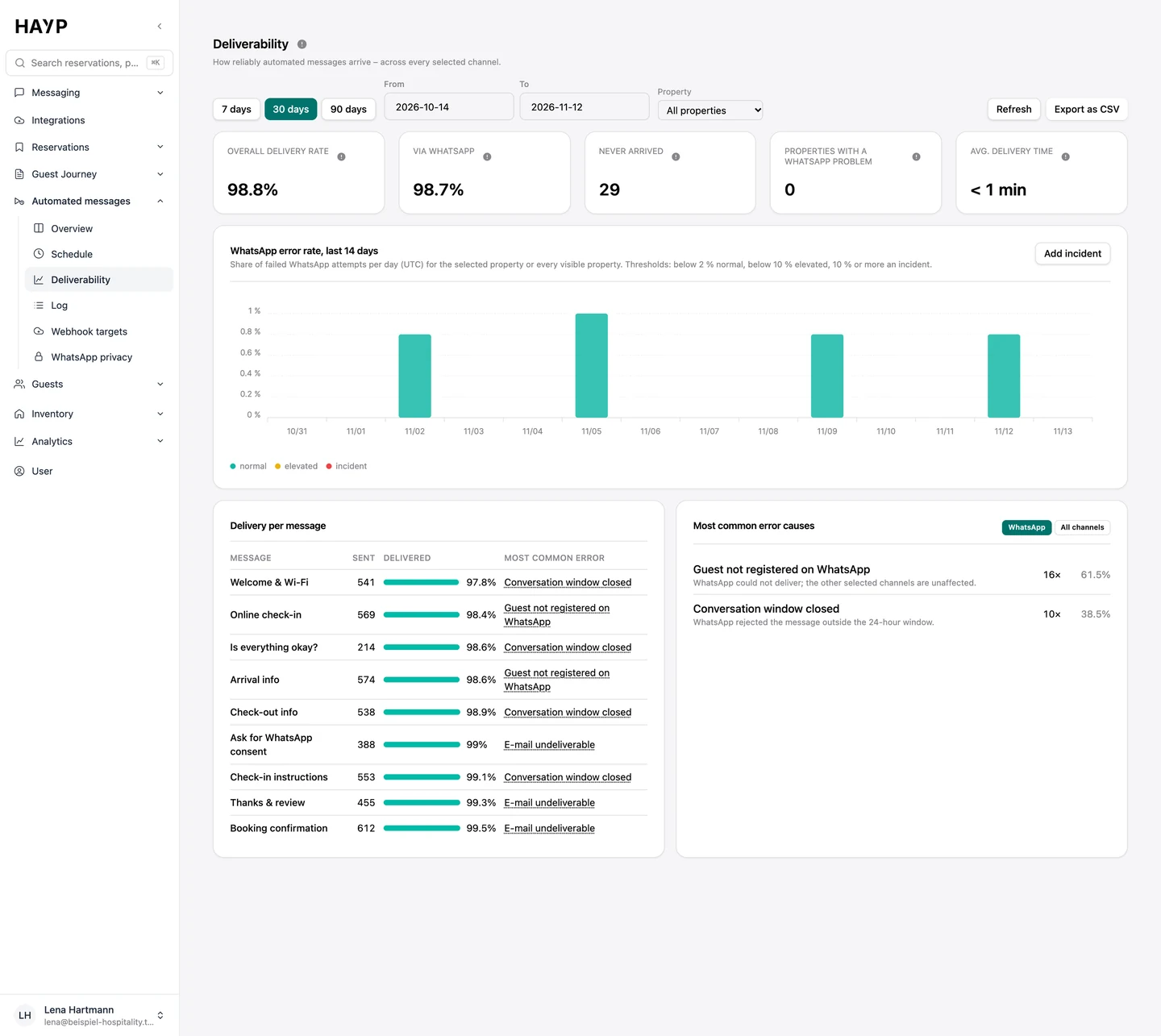
For every send you know whether it arrived, on which channel and, if not, why.
Delivery rate, messages that never arrived, the daily WhatsApp failure rate, delivery per message and the most common causes, per property and period.
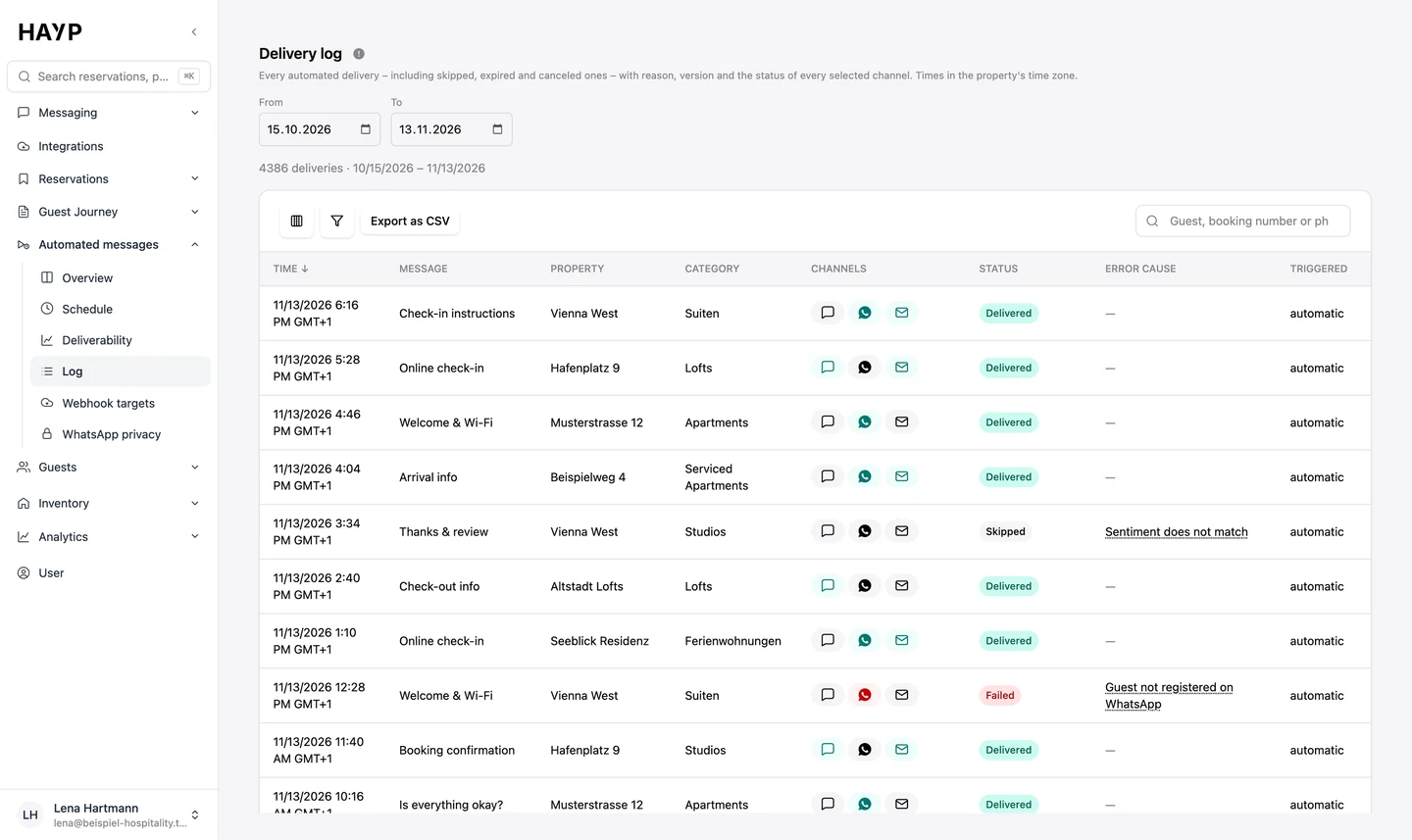
Every send with trigger, version and status per channel, including skipped ones, searchable by guest or booking number and exportable as CSV.
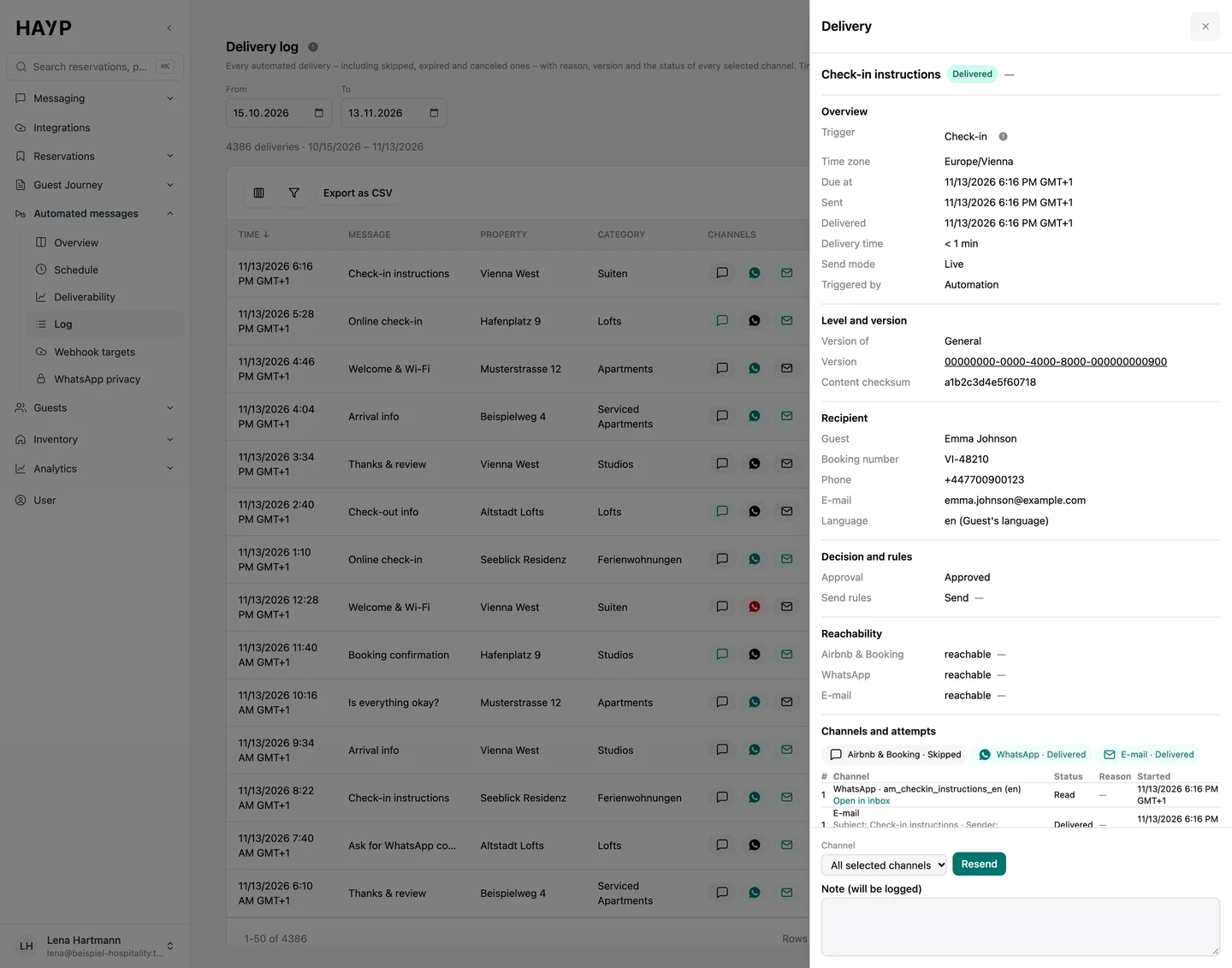
Times, version, recipient and the decision of the rules; failed sends can be repeated with a note.
| Phase | Typical message | Possible trigger |
|---|---|---|
| After booking | Booking confirmation, request for WhatsApp consent | Booking created |
| Before arrival | Arrival info, online check-in | Days before the planned arrival |
| Arrival | Check-in instructions, welcome & Wi-Fi | Arrival day or check-in in the PMS |
| Stay | Asking whether all is well, weekend tips | Days after check-in or every Friday |
| Departure & after | Check-out info, thanks and review request | Departure day or days after check-out |
Marketing messages and review requests only go to guests who have consented. If a guest replies STOP on WhatsApp or uses the unsubscribe link in an email, they receive no more marketing or review requests on that channel. With the WhatsApp privacy mode of a number, every automated message there only goes to guests with a WhatsApp opt-in.
How consent, the guest profile, the pre-check-in and retention periods work together is shown on the page GDPR for hotels. Why Booking.com and Airbnb no longer pass phone numbers to software is explained in the guide on the guest's phone number.
The HAYP Autopilot goes beyond a hotel chatbot: AI agents per property, three modes, guardrails and handover to your team, with a log in every thread.
Learn moreWhatsApp for hotels and apartments: your number connected directly, messages in the guest inbox, templates, the 24-hour window, opt-in, opt-out and costs.
Learn moreGDPR for hotels with HAYP: consent per purpose in the pre-check-in, a check before every message, opt-out by link or STOP, data export and retention periods.
Learn moreAirbnb automated messages: what scheduled quick replies can do, examples of timing and content, and the limits for operators with many listings.
Learn moreFAQ
Yes, through the “Airbnb & Booking” channel, which requires the connection through Channex or the HAYP Channel Manager. Only service messages for an existing booking go out there. The channel also reaches Expedia guests, with text only.
Yes. On WhatsApp a reply of STOP is enough, emails with marketing or a review request carry an unsubscribe link, and spam reports count as well. After that the guest receives no more marketing or review requests on that channel; with the WhatsApp privacy mode switched on, no service messages on WhatsApp either. A message your team writes itself still goes out.
Yes. A message applies generally and can get its own version, or be switched off, per property, unit group or room. New properties receive general messages automatically.
Part of Guest Experience: €6 per unit per month, net, no minimum term, free setup with our guide. WhatsApp adds €49 a month plus Meta's fees.
For one property and one channel, perhaps. A script would also have to handle send rules, quiet hours, language versions, opt-outs and delivery status per channel, use Meta-approved templates on WhatsApp and follow Airbnb's and Booking.com's content rules. HAYP does this per property on a schedule, logs every send and can pass messages to your own systems by webhook. More on the trade-off under build or buy.
We show schedule, channels, rules and log with sample data.