
Consent page without a login
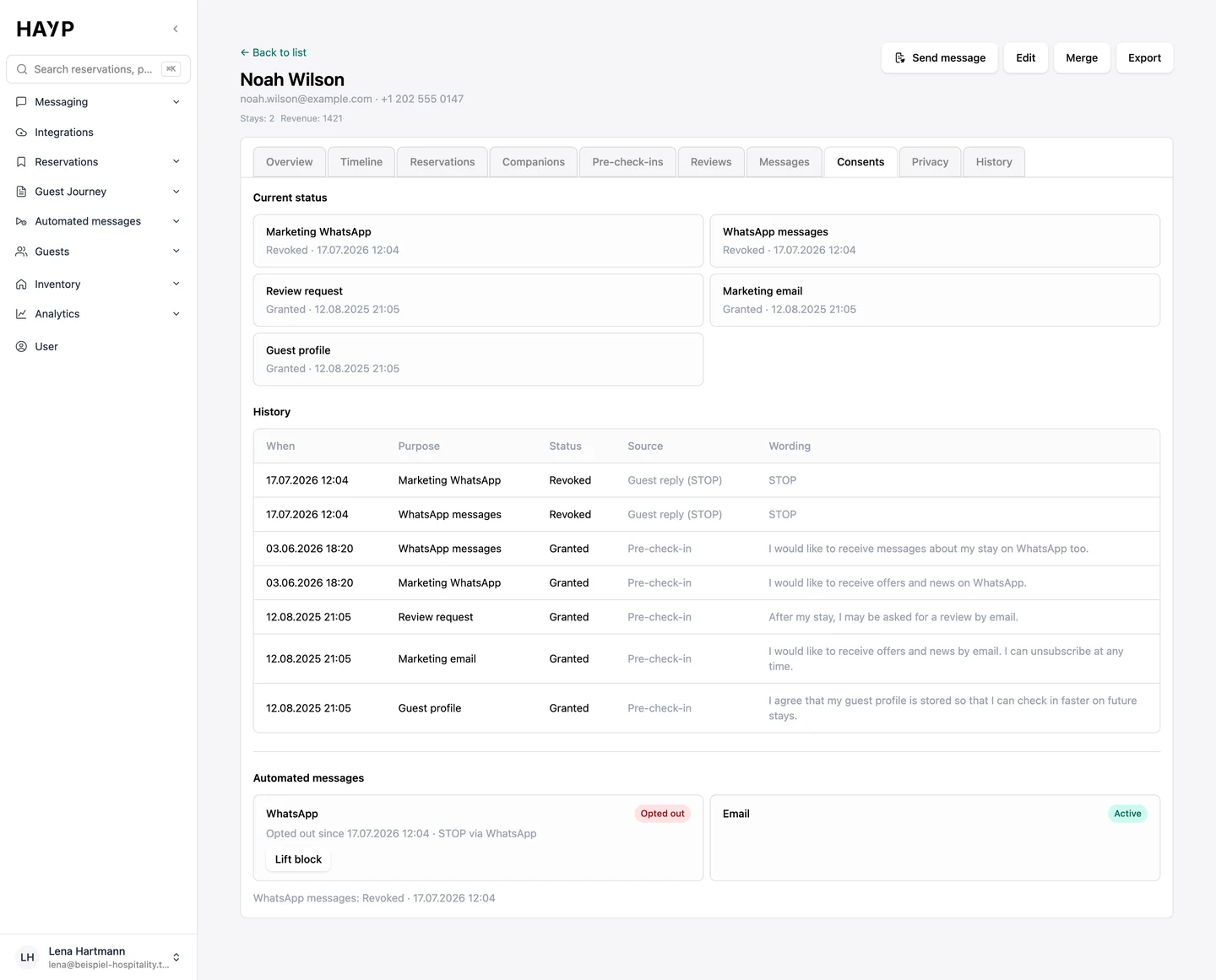
From the email the guest opens a page with their active consents and withdraws them with one click.
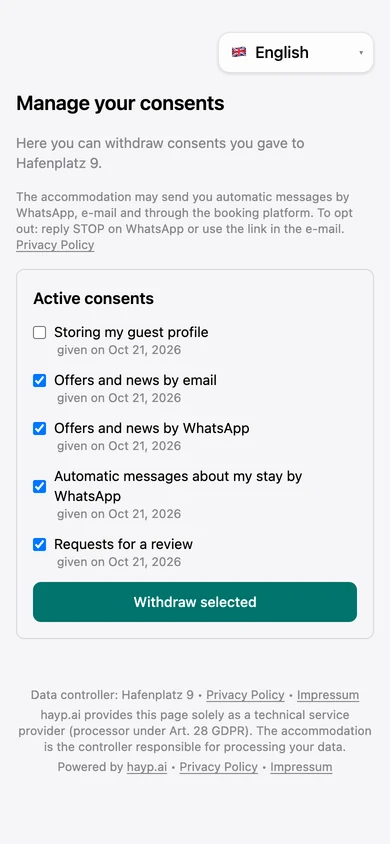
For operators who want to keep guest data in order without checking every message by hand. HAYP records what a guest consented to, checks it before every automated message and handles withdrawal, access requests and retention periods in the guest profile.
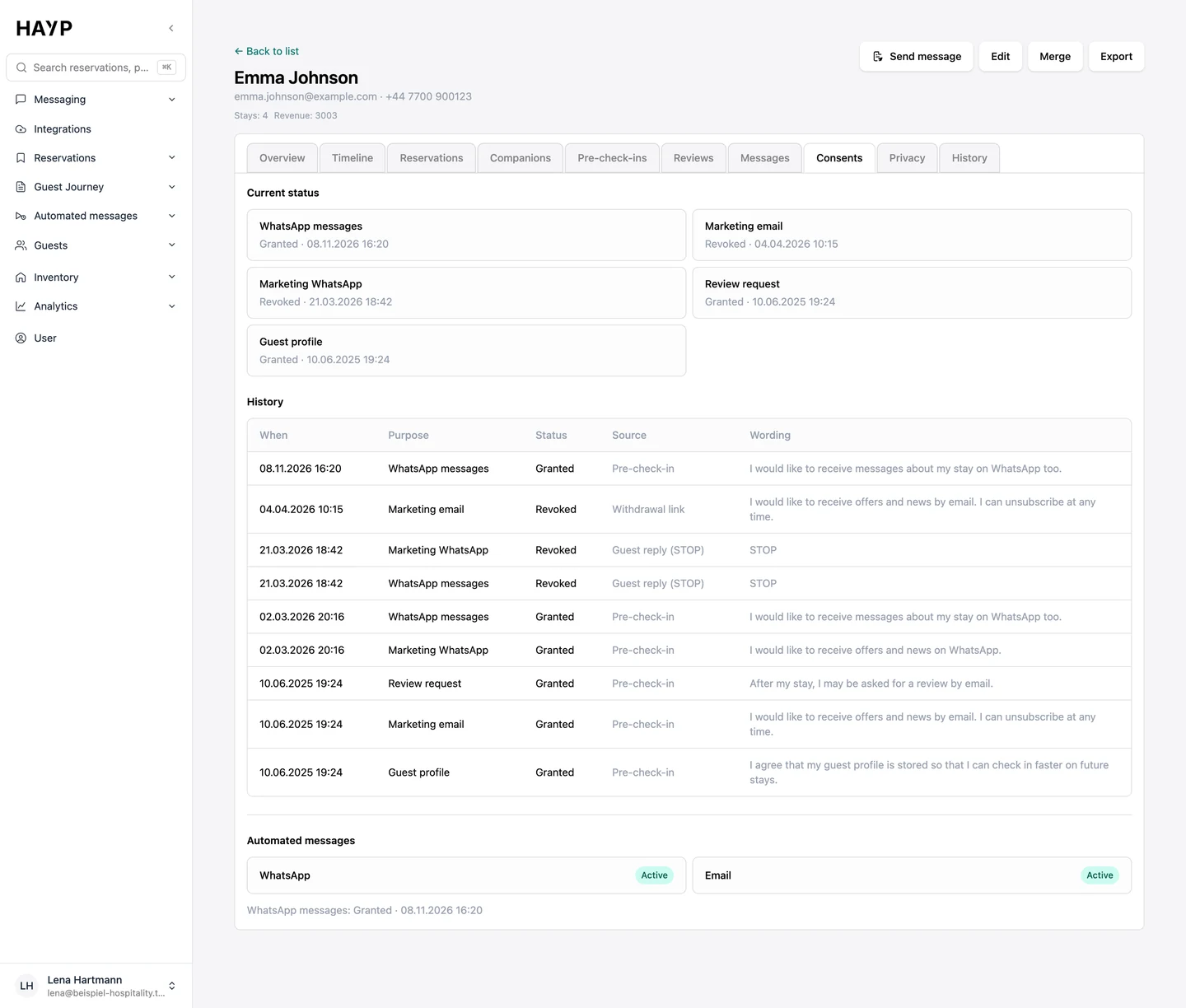
From the pre-check-in to erasure, every step writes to the same record or reads from it. A guest's decision therefore applies wherever HAYP sends messages automatically.
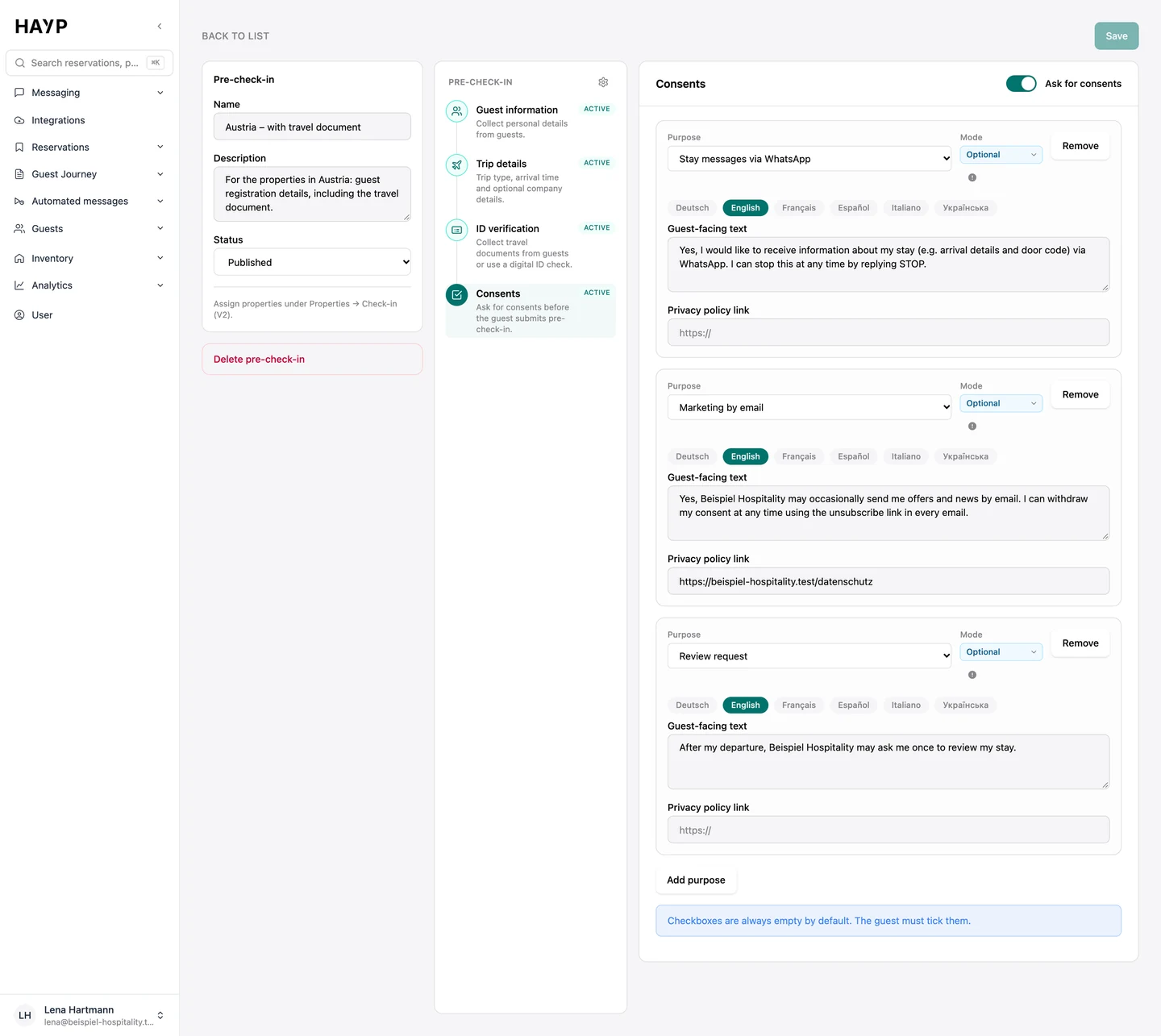
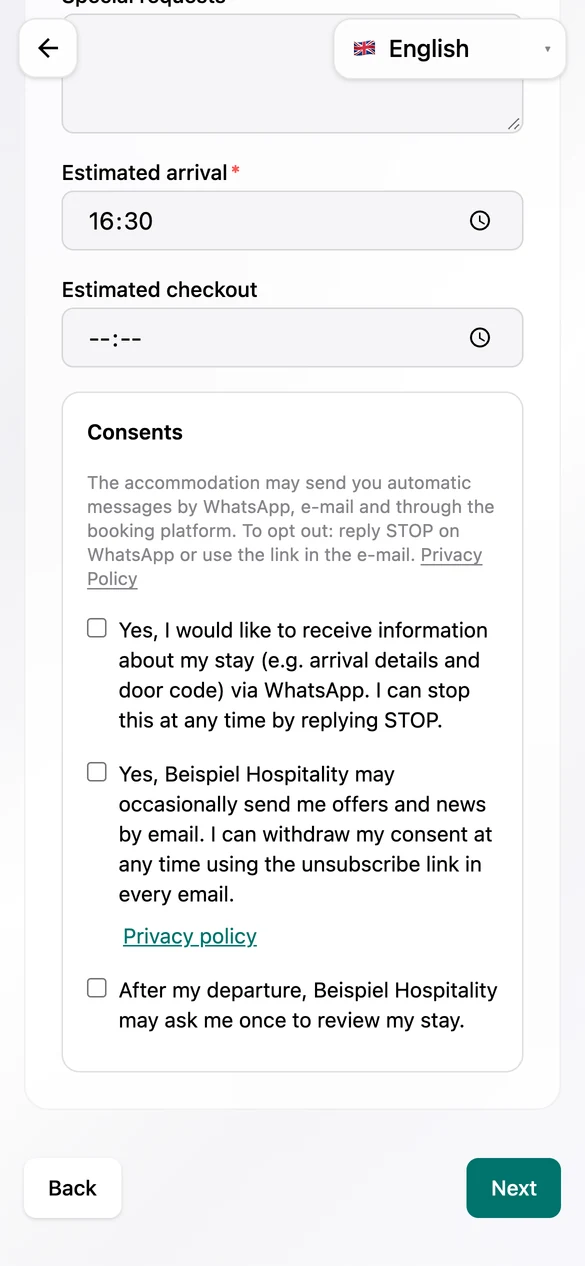
The guest chooses per purpose. No box is ticked in advance, and marketing is never required.
Wording, version, time and source of every consent, each as an entry of its own.
Consent, opt-out, profile status and the exclusion list are checked right before the message.
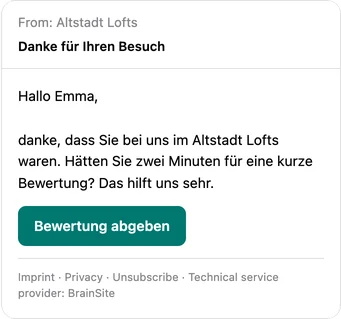
Emails name the property's legal notice and privacy policy; marketing also carries an unsubscribe link.
Through the consent page, the unsubscribe link, STOP on WhatsApp or a spam report.
Guest profiles are restricted, anonymized or erased after your period; erased contacts stay blocked.
Every withdrawal becomes a new entry in the same record and applies from the next automated message.
From the form in the pre-check-in to the entry in the guest profile.
You set purposes, wording per language and the link to your privacy policy; marketing cannot be set as mandatory.
The guest sees empty boxes and a note on how to opt out of automated messages.
Every decision is in the profile with time, source and wording.
If a guest replies STOP, the withdrawal appears as an entry of its own.
Before an automated message goes out, HAYP checks in a fixed order: is the reservation blocked for automated messages? Is the guest profile restricted? Is the address on the exclusion list? Does the WhatsApp privacy mode require an opt-in? Is the required consent in place, and has the guest opted out on this channel? Only then do your send rules for automated messages apply.
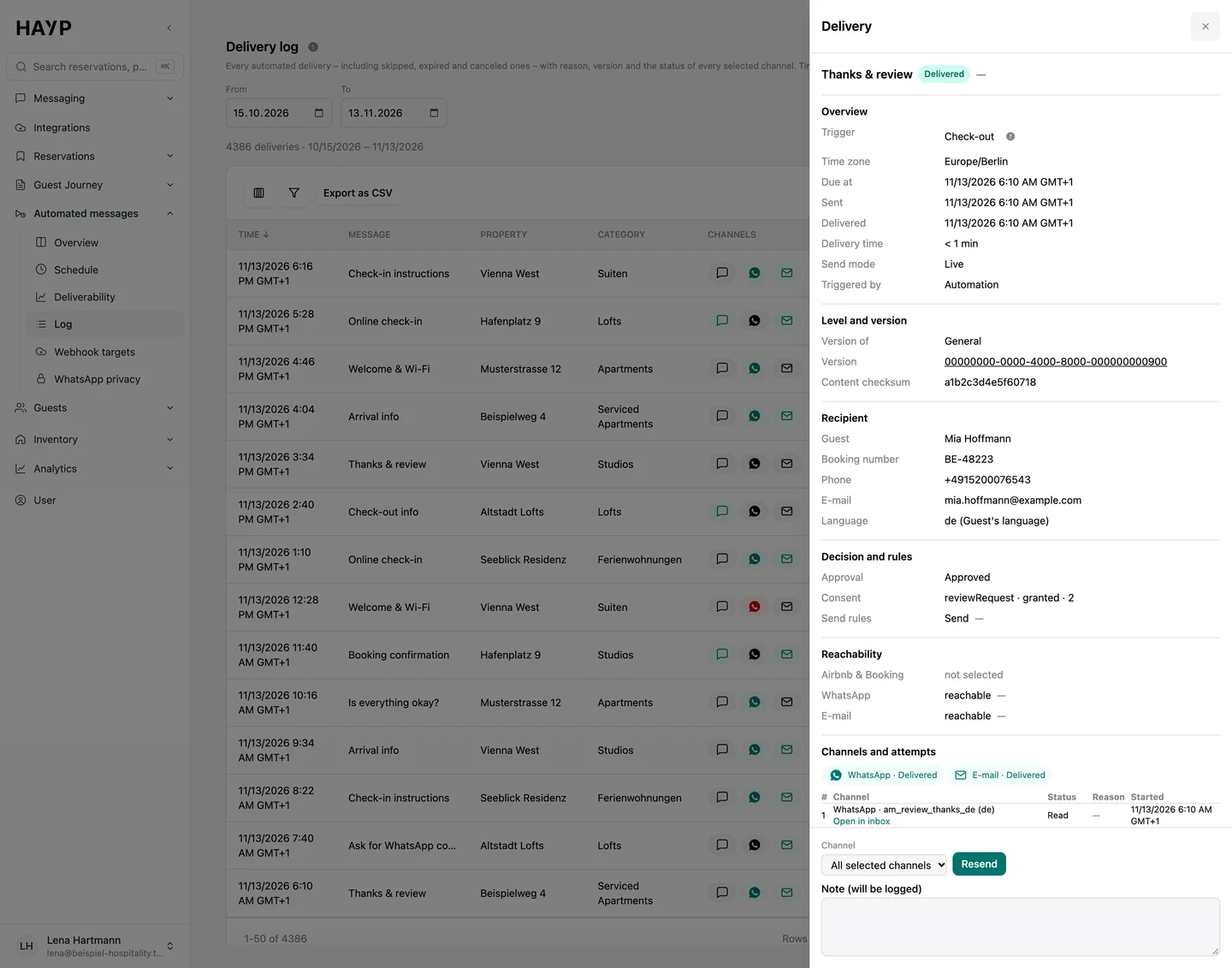
Every delivery stores which consent was decisive: purpose, granted or not, time and version of the text. For skipped messages, the log shows the reason, such as “no consent” or “opted out”. A message your team writes itself still goes out; the inbox shows the guest's status while you write.
This is how HAYP decides per purpose and channel. You set the purpose for every message.
| Purpose | Airbnb & Booking.com | ||
|---|---|---|---|
| Service: arrival, check-in, check-out | no consent needed; with privacy mode only after a WhatsApp opt-in | no consent needed | allowed, with a content check |
| Marketing | consent “marketing by WhatsApp” | consent “marketing by email”, legal notice and unsubscribe link | not allowed |
| Review request | consent “review request” | consent “review request”, legal notice and unsubscribe link | not allowed |
Guests opt out where the message arrives. HAYP writes every opt-out to the same record.
From the email the guest opens a page with their active consents and withdraws them with one click.
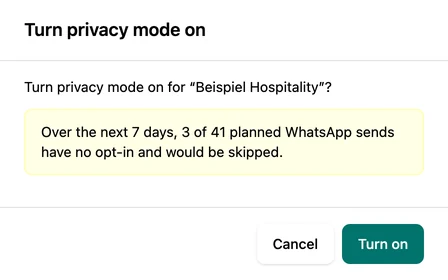
When it is on, automated messages from this number only go to guests with a WhatsApp opt-in. Beforehand HAYP shows how many planned sends in the next seven days would be dropped.
The footer names the property's legal notice and privacy policy. Without a legal notice, such an email does not go out at all.
For every delivery the log shows recipient, language and the decision of the check, for marketing including the consent that applied.
Restrict, anonymize, delete and export, each with its own permission.
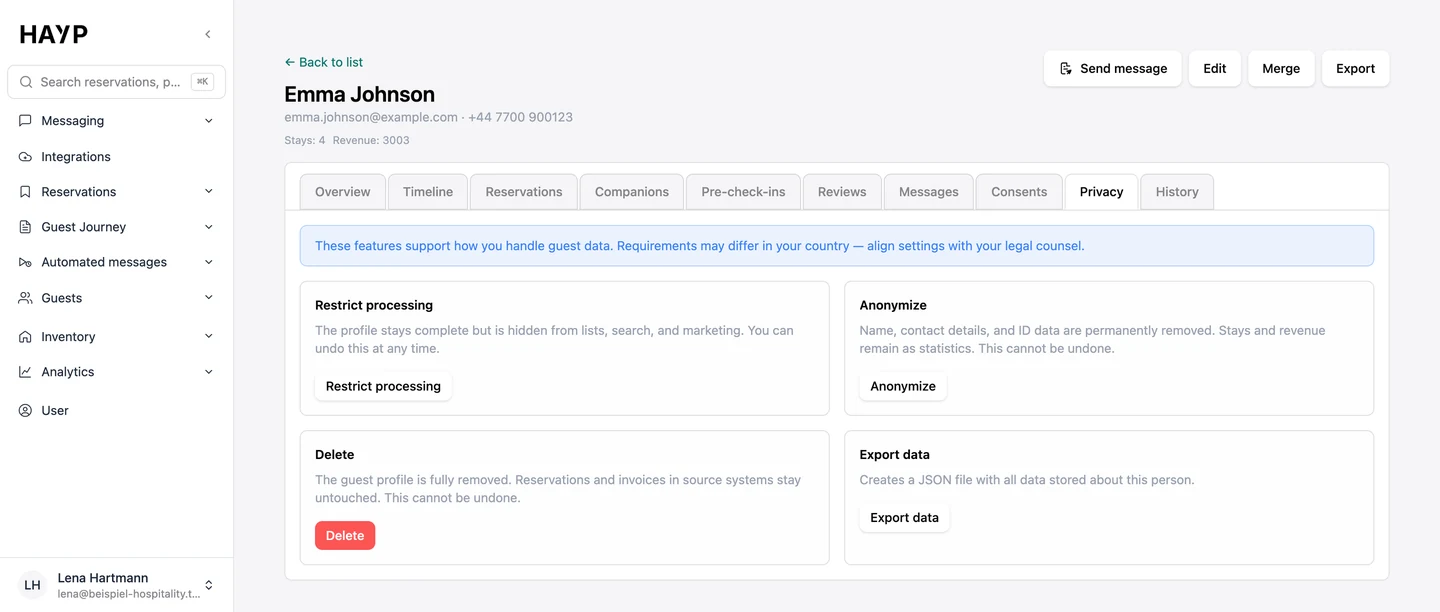
Before final steps HAYP asks for confirmation and records a reason if you wish.
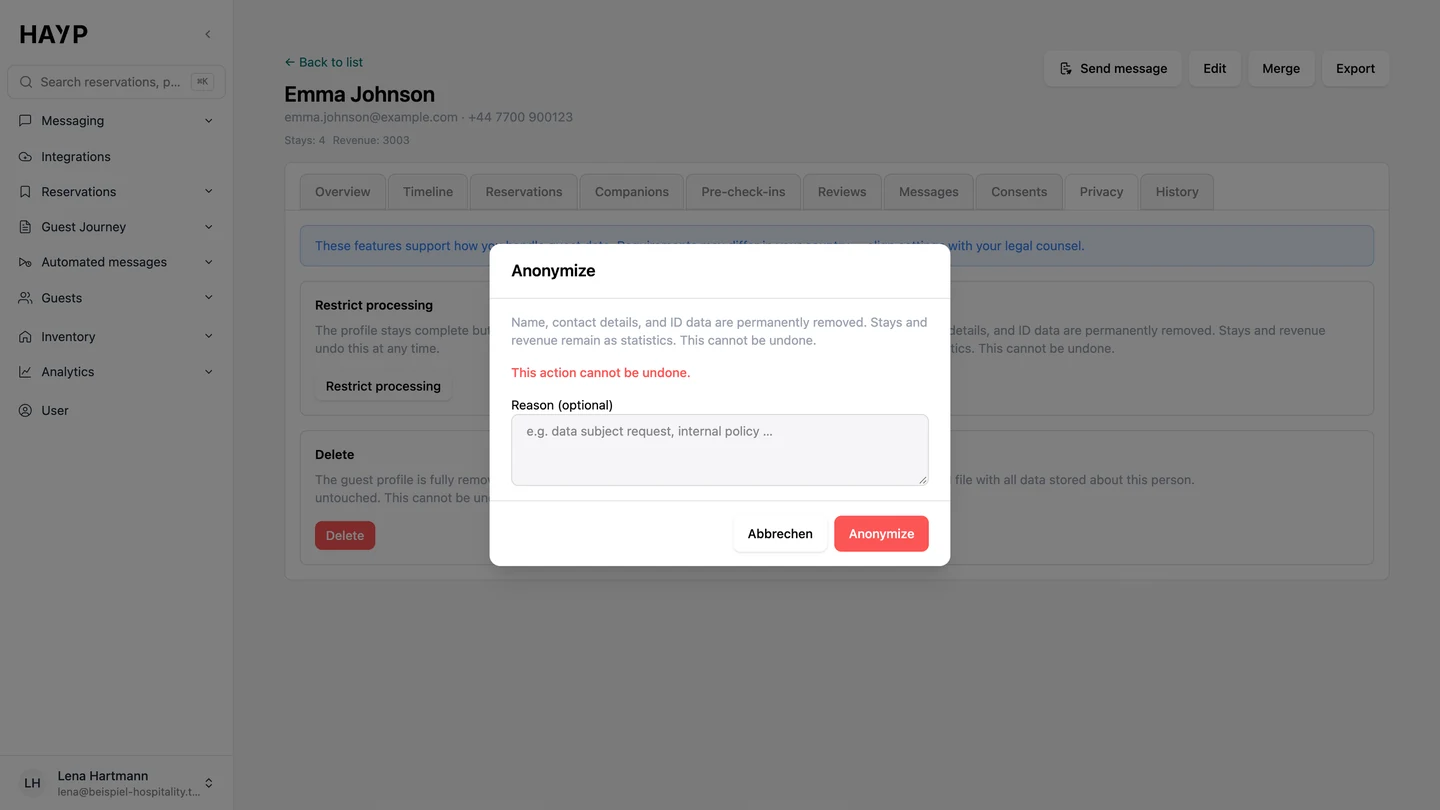
Policies for guest profiles with period and action, if you wish only for guests who canceled.
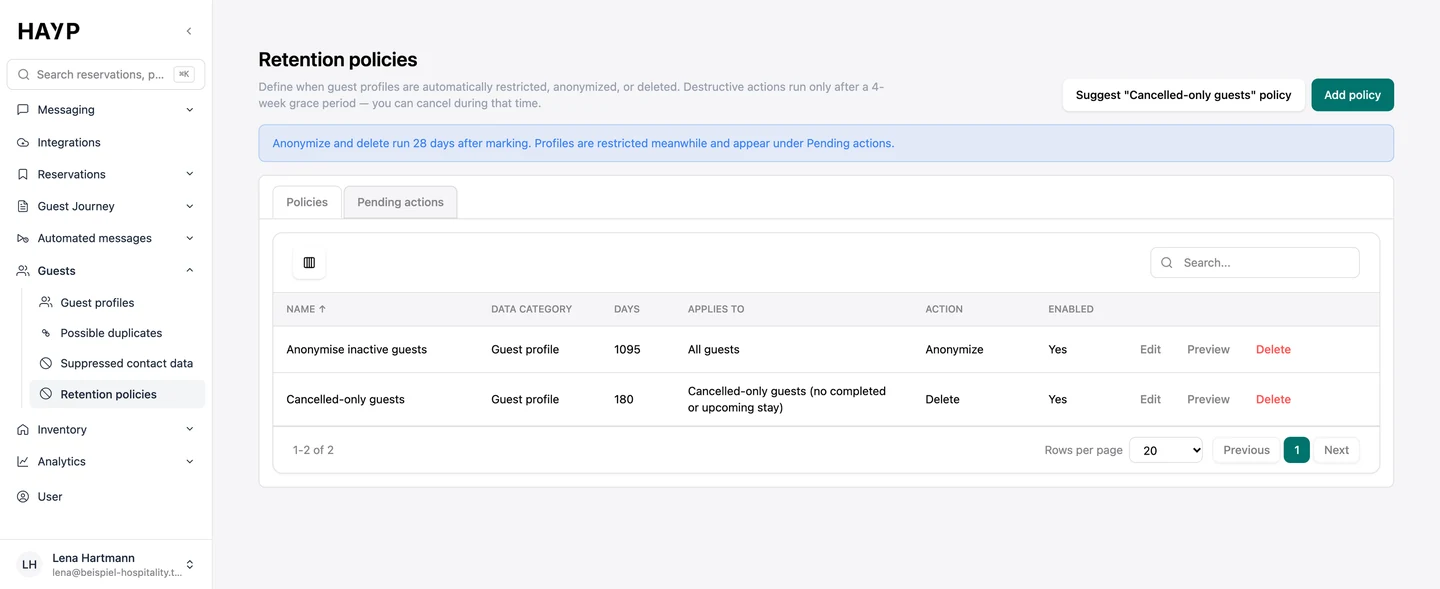
What happens next, with a date; every action can be canceled until then.
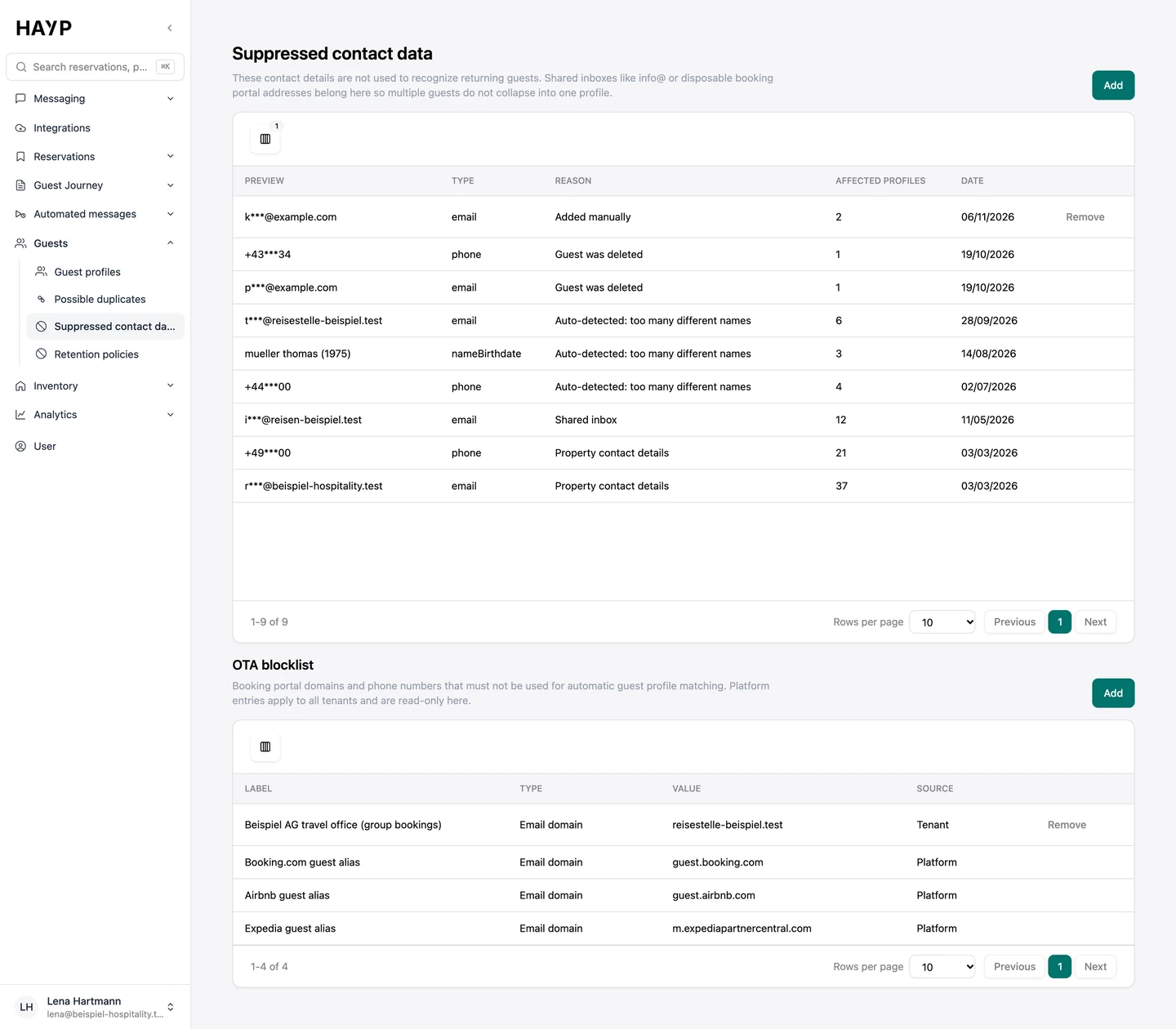
Shared addresses, throwaway platform addresses and erased guests do not count when matching.
At the start the AI sees no fields. It never gets ID or consent data or internal notes; fields can be released on a schedule, for example only from check-in.
When the AI replies on its own, the first reply carries a notice. In autonomous mode it cannot be switched off.
A role only sees the properties, units and inboxes assigned to it. Export, restriction and erasure need a permission of their own.
Staff sign in with a code by email or a passkey. Accounts exist by invitation only.
The platform and the database run in data centers in Frankfurt am Main. All AI features run in the EU, and no AI model is trained on your data.
Pre-check-in, forms and the consent page are blocked for search engines and name your property as the controller.
Automated guest messages from booking until after departure: a schedule per property, channels per message, send rules, delivery status and a full log.
Learn moreHAYP's hotel CRM builds one profile per guest from reservations, pre-check-ins and reviews, with duplicate checks, consent history and retention rules.
Learn moreDigital check-in before arrival: guests enter guest and trip details on their phone, and the data is saved to the reservation and the guest profile.
Learn moreWhatsApp for hotels and apartments: your number connected directly, messages in the guest inbox, templates, the 24-hour window, opt-in, opt-out and costs.
Learn moreFAQ
Yes. HAYP processes guest data as a processor on behalf of your operation. We provide a data processing agreement (DPA) on request.
That depends on how you use WhatsApp. HAYP gives you the tools: the WhatsApp consent in the pre-check-in, the privacy mode per number, opt-out by STOP in six languages and each guest's status in the inbox. Whether your use is lawful is a question for your legal adviser. More under WhatsApp for hotels.
For guest profiles you set retention policies: a period from the last stay or the last cancellation, after which the profile is restricted, anonymized or erased. Anonymizing and erasing follow 28 days after the profile is marked, and until then you can cancel. Policies are switched off at the start. Technical data such as the delivery log expires after fixed periods.
In the guest profile you export profile, reservations, pre-check-ins, reviews, consents and history as a JSON file. On erasure, HAYP passes the erasure on to automated messages and guest forms and blocks the contact details for further automated messages. Each of these actions is recorded with person and time.
The platform and the database run in data centers in Frankfurt am Main. All AI features run in the EU, and no AI model is trained on your data. Which service providers take part in individual functions is listed in the privacy policy.
A script can send messages. For the GDPR, however, consent records, the check before every send, withdrawal and erasure have to work together and stay traceable. An AI assistant in the browser that uses a password and a two-factor code to fetch phone numbers from the extranet raises new questions instead: who has access, where does the data go, and what do the platforms' rules say? More under build or buy and in the guide on the guest's phone number.
We show consent, the check, withdrawal and retention periods with sample data.