
Digital check-in before arrival: guests enter their own details on their phone
HAYP's digital pre-check-in is for hotels, aparthotels and serviced apartments that no longer want to type guest details in at reception. The guest opens a link, fills in guest and trip details on their phone and signs if you ask for it. The data is then saved to the reservation and the guest profile.
Digital check-in in five steps: how it works for the guest
Guests do not need an app. The form shows progress step by step and restores answers after an interruption.
Open the link
The link leads to the guest portal for the booking. You send it with an automated message, for example straight after booking. Guests choose their own language.
Enter the primary guest
Name, contact details, date of birth, nationality and address, depending on which fields you ask for. With ID verification switched on, the travel document details are added and, if you want, a signature drawn with a finger.
Additional guests
The booker fills in the details for everyone or shares a separate link for each person. Once every person is entered, the pre-check-in completes by itself.
Trip details
Trip type, estimated arrival and checkout, and special requests. Company name and VAT number only appear for business trips.
Submit and edit
The guest confirms the details are correct. They can still change them until a time on the arrival day that you set.
What the guest sees in the pre-check-in
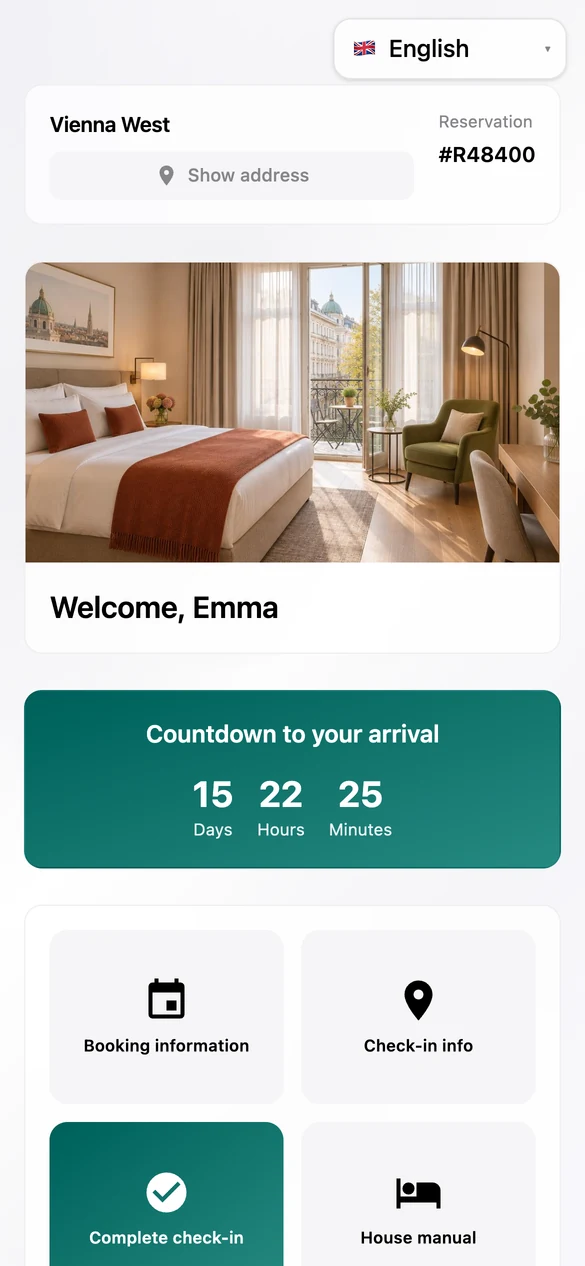
The guest opens the guest portal from a message, sees the booking and completes the pre-check-in on the phone.
Guest portal
Booking, countdown to arrival and all information in one place.
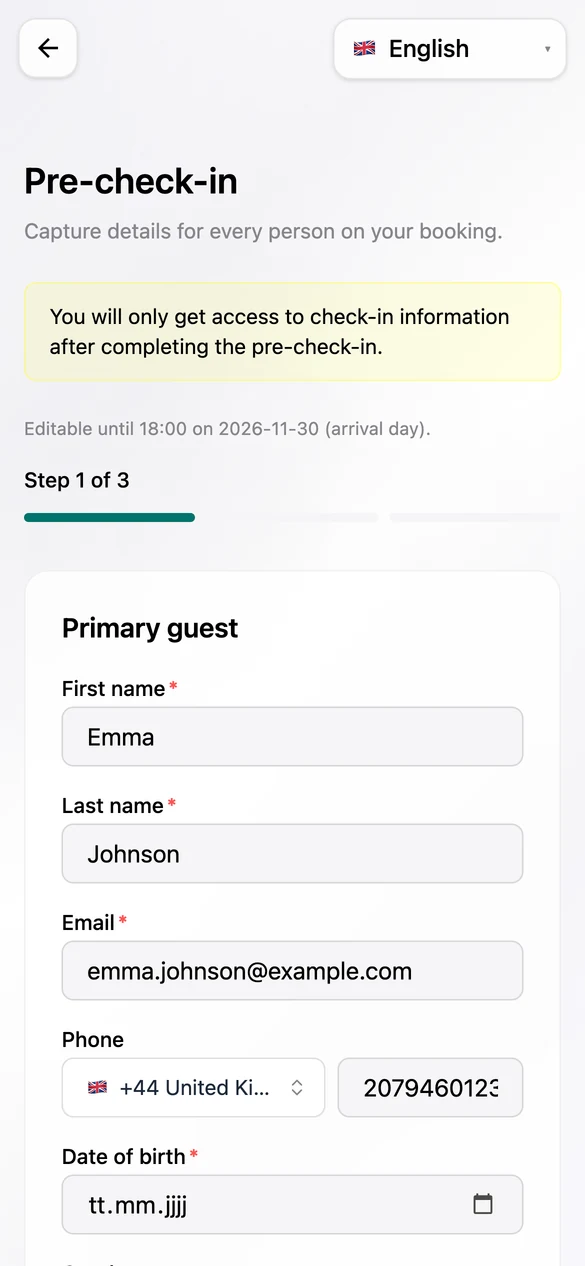
Details
Prefilled from the booking; the guest adds what is missing.
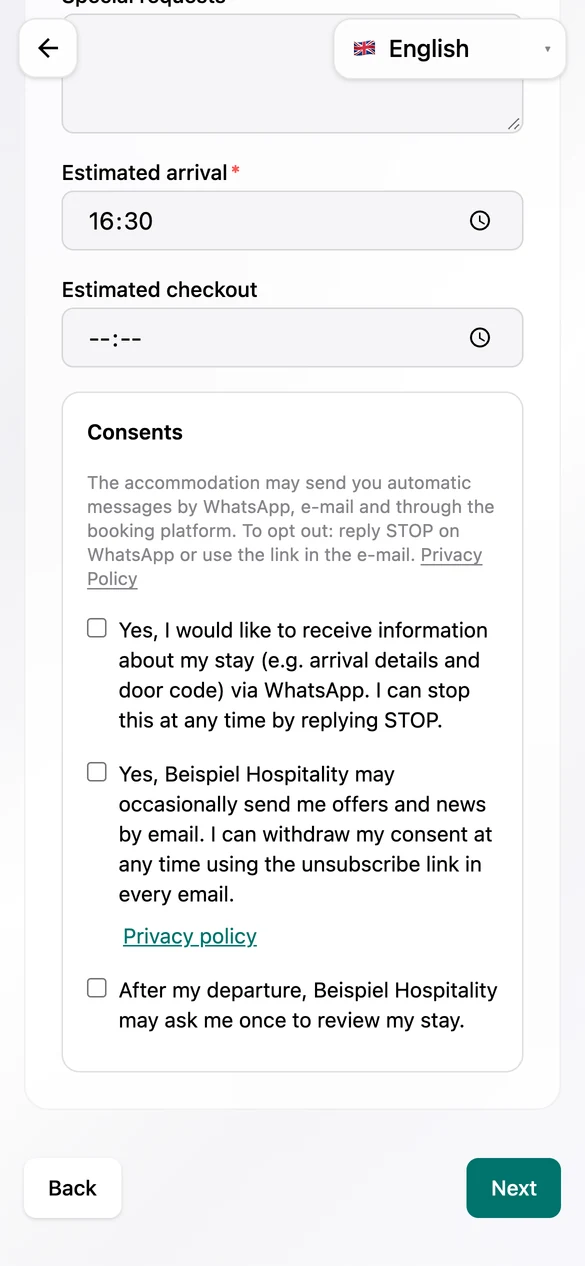
Consents
Optional and never pre-ticked, with a note on STOP and the unsubscribe link.
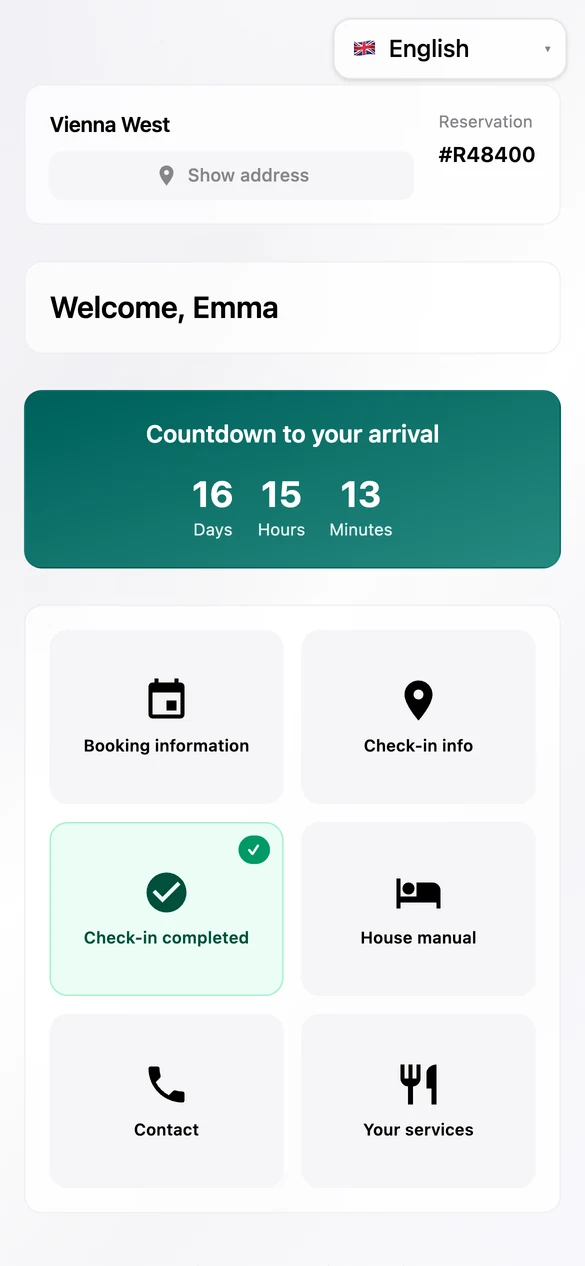
Done
The portal then shows the completed check-in and makes the check-in information available.
The form editor: your team decides what is asked
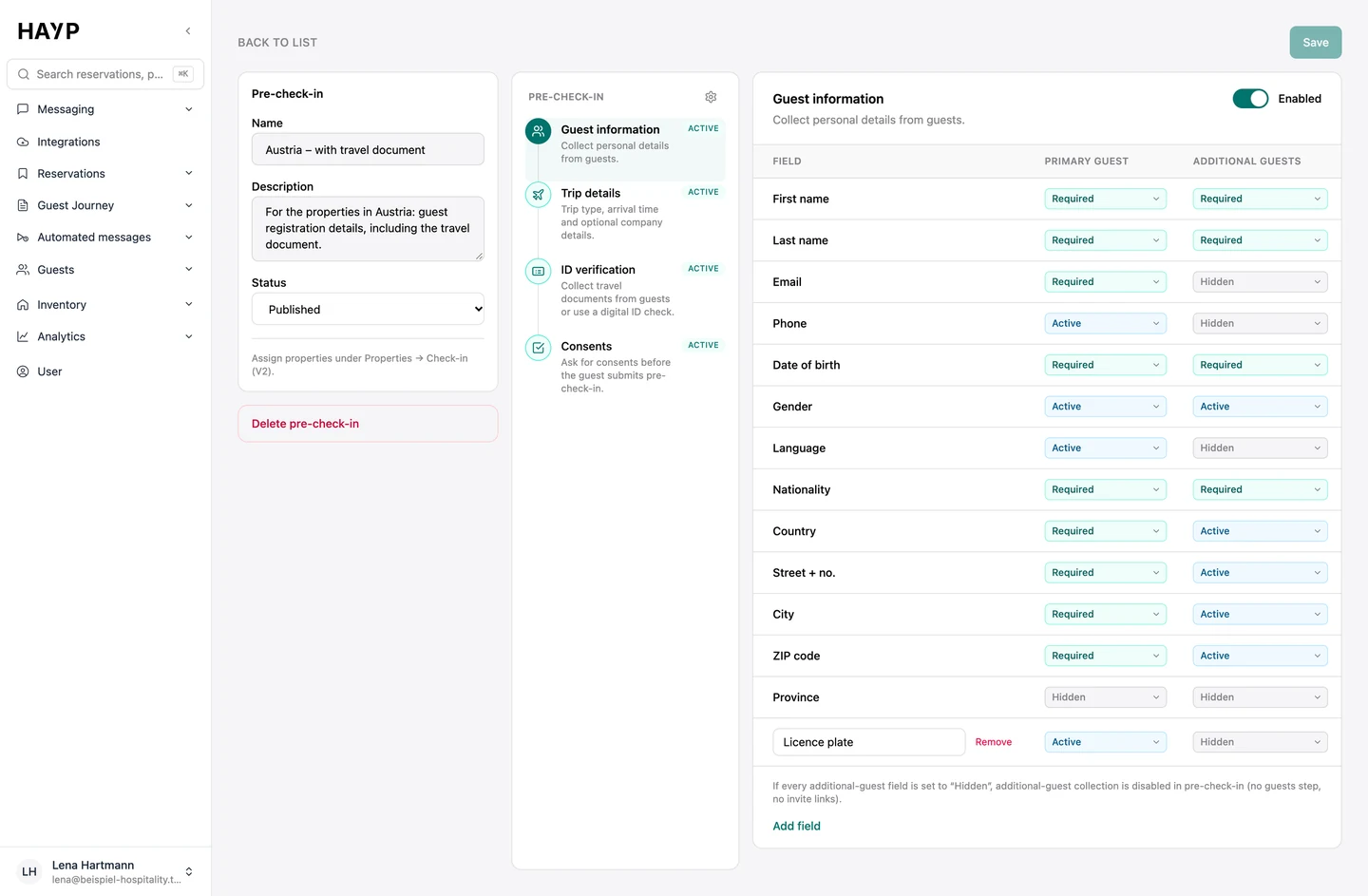
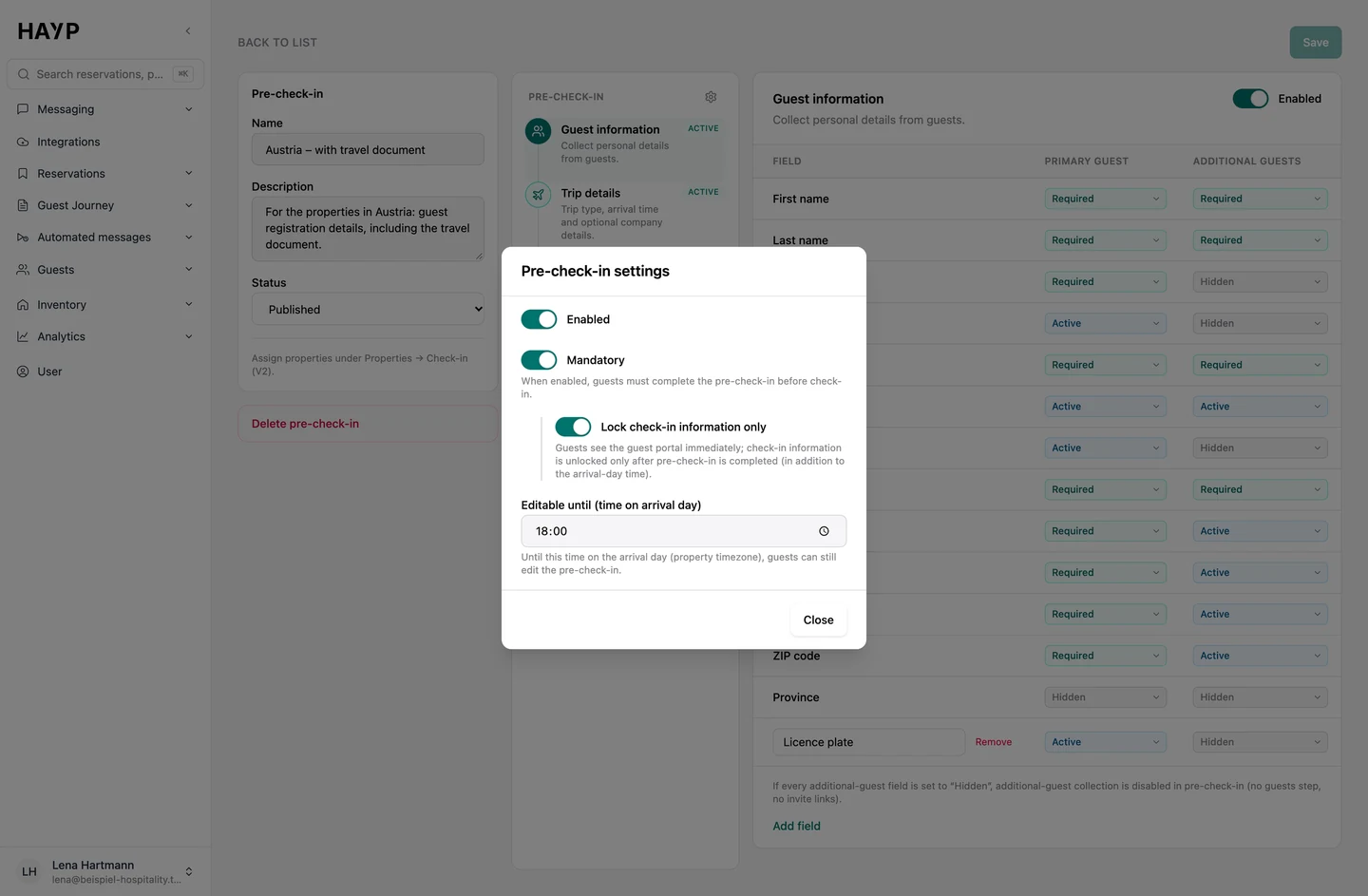
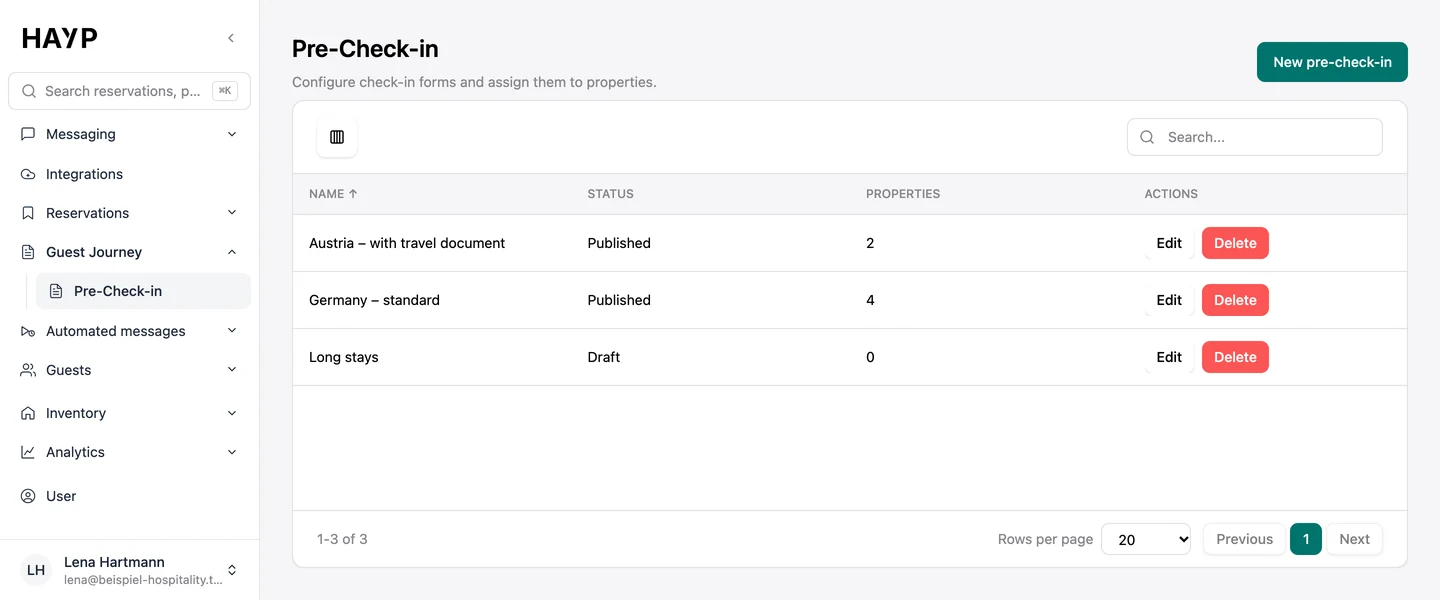
In the Guest Journey menu, under Pre-check-in, you build the form once and assign it to one or more properties.
Fields
Fields for the main guest and fellow travelers set to hidden, active or required; the main guest's first and last name are always included.
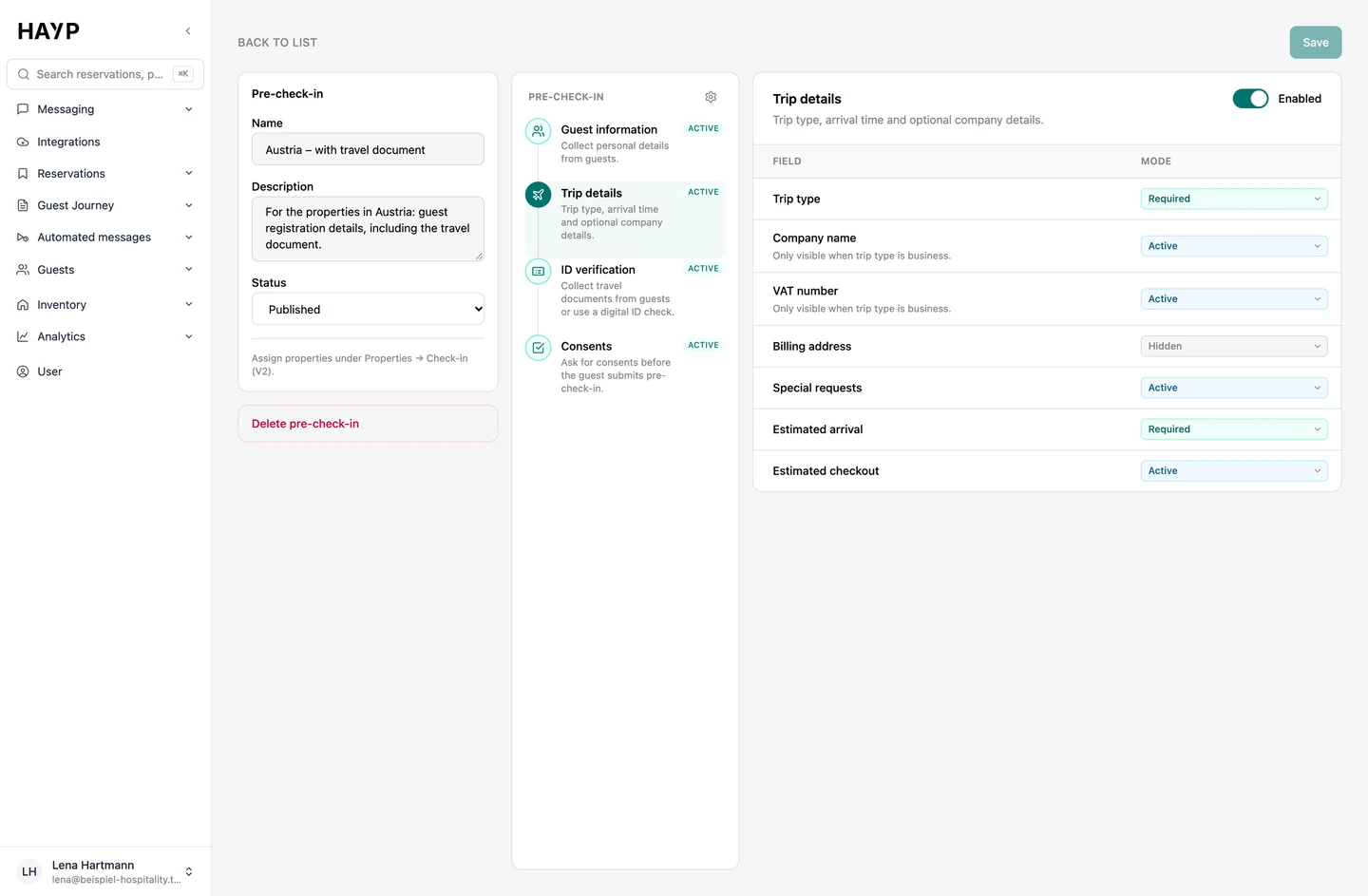
Trip details
Purpose of travel, arrival time and special requests; company and VAT number only appear for business trips.
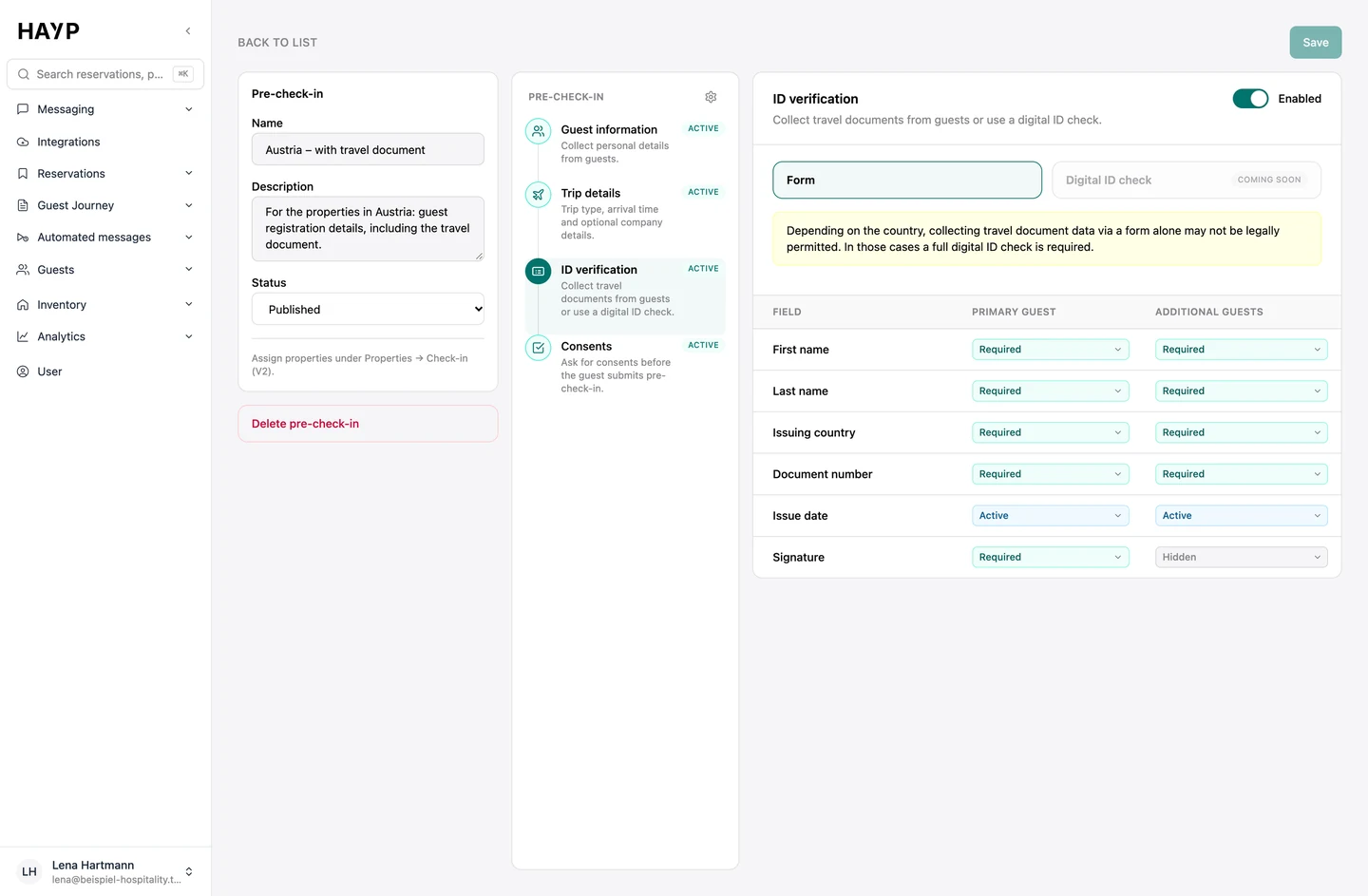
ID
ID details can be collected as a form with a signature if needed. There is no automatic ID check at present.
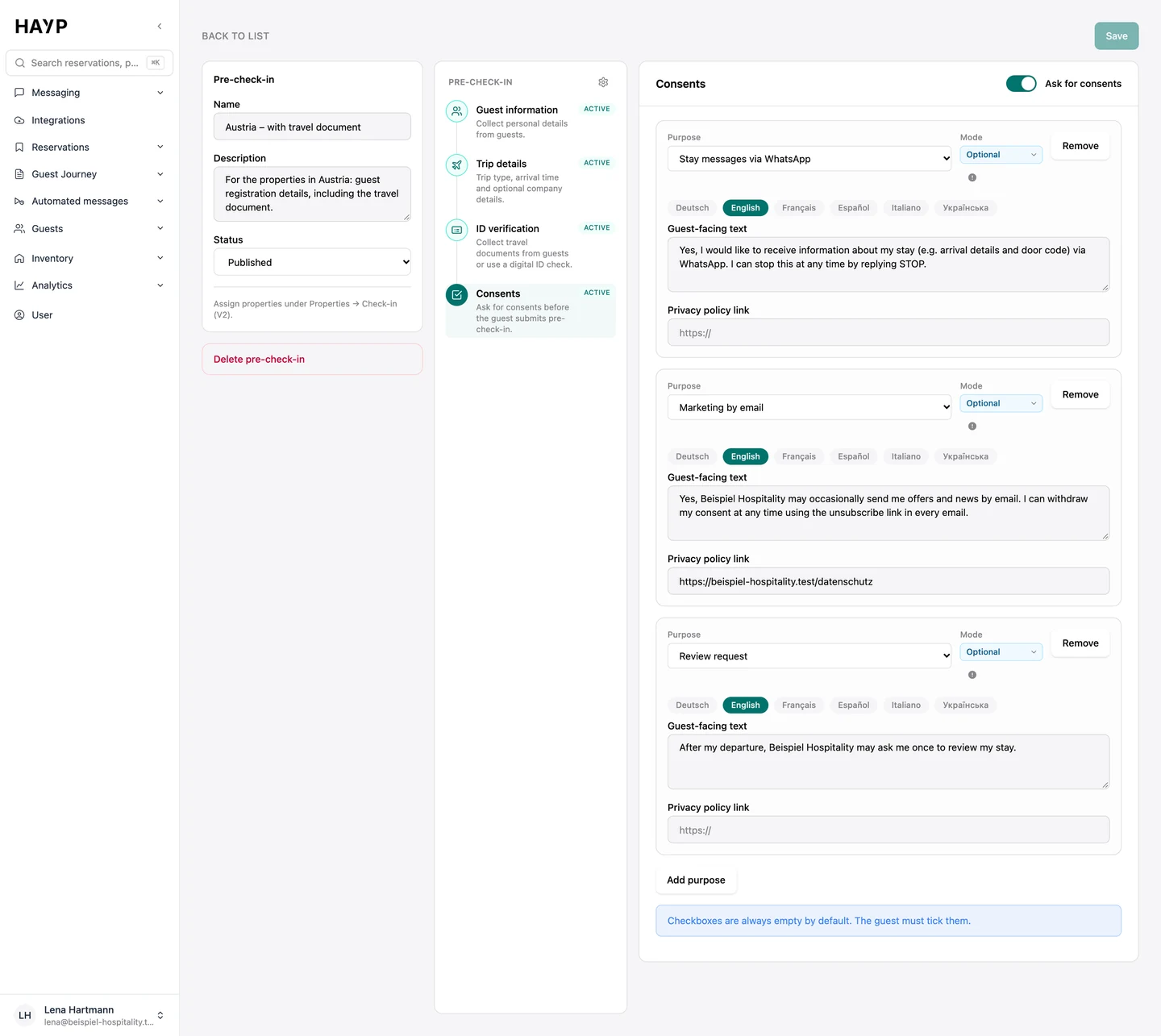
Consents
Consents in your own wording per language with a link to your privacy policy; marketing can never be mandatory.
Mandatory or optional
If you wish, check-in information is only available after the pre-check-in; you decide until when guests can edit.
Per property
One form applies to one or more properties; guests only see drafts once they are published.
Where the data ends up: reservation and guest profile
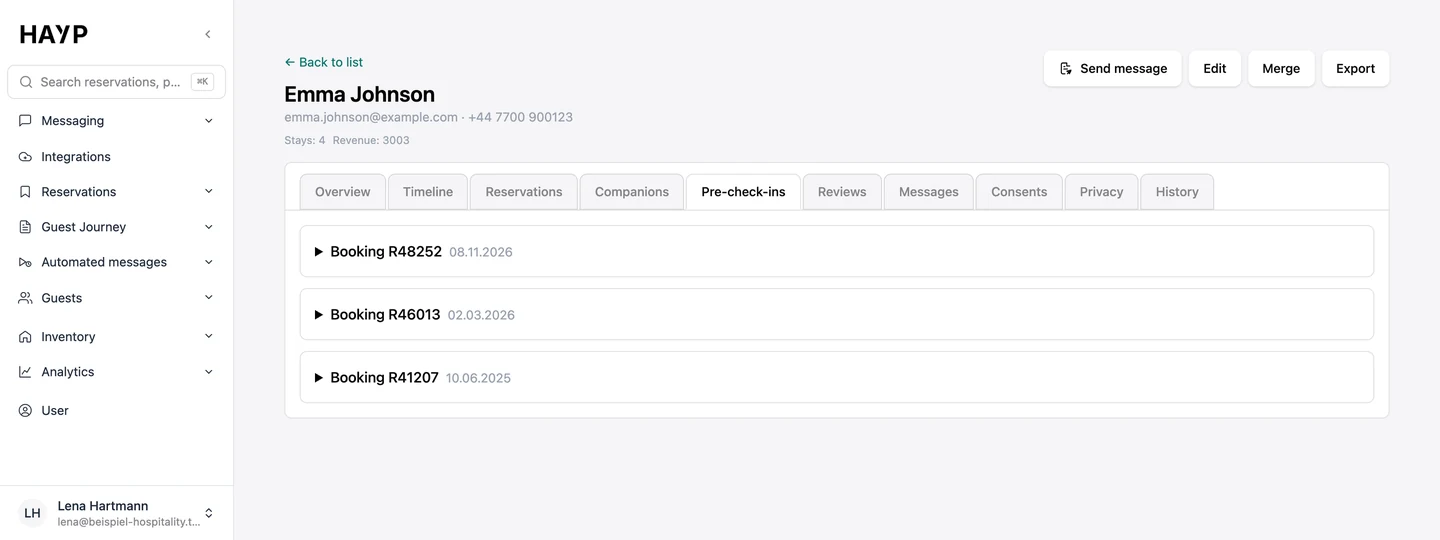
In the Guest CRM the details land in the guest profile: the Pre-check-ins tab shows them for each booking, and special requests appear in the guest's timeline.
The reservation shows the status: not started, in progress or completed. The details list every person, what they entered and whether the booker or the guest filled it in. If something needs correcting, you reset the pre-check-in and the guest can edit again.
Completion can trigger the next message, for example the arrival information straight after pre-check-in. A reminder can be limited to guests whose pre-check-in is still open. You set both up under automated messages.
The guest portal around the pre-check-in
The pre-check-in is part of the guest portal: one page per booking that the guest opens in a browser. It shows the booking details, registration status, check-in information, house manual and contact options, each matching the booked property and unit.
Check-in information appears from a set time on the arrival day, and with a mandatory pre-check-in only once the form is complete.
Everything about the guest portal, including what is coming next, is under guest journey & guest portal.
Related pages
Guest registration
Hotel guest registration form in Germany, Austria and Switzerland: who signs since 2025, which data is recorded, how long to keep it and digital options.
Learn moreGuest CRM
HAYP's hotel CRM builds one profile per guest from reservations, pre-check-ins and reviews, with duplicate checks, consent history and retention rules.
Learn moreAutomated messages
Automated guest messages from booking until after departure: a schedule per property, channels per message, send rules, delivery status and a full log.
Learn morePricing
HAYP pricing: Portfolio Operations €2, Guest Experience €6, Analytics €2 per unit per month, channel manager from €49. Net prices, with a calculator.
Learn moreFAQ
Frequently asked questions about digital check-in
How does digital check-in work at a hotel?
Before arrival the guest receives a link, opens it on their phone and enters their own details and those of their fellow travelers. With HAYP that means guest and trip details and, if you want, travel document details and a signature. The data is saved to the reservation, so reception types nothing in. A short form takes about 30 to 60 seconds.
Do guests need an app for hotel online check-in?
No. The pre-check-in runs in the browser on a phone or a computer. The guest portal is available in German, English, French, Spanish, Italian and Ukrainian.
Do guests have to check in online?
That is up to the operator. In HAYP the pre-check-in is optional until you set it to ‘Mandatory’. Guests then only see the guest portal or the check-in information after completing it. Anyone who does not fill it in is registered on arrival as before.
What are the disadvantages of online check-in?
It only works if the link reaches the guest and the guest completes it. The details come from the guest; HAYP does not currently verify IDs automatically. And it replaces neither a check-in kiosk nor the key handover.
Do hotels in Germany still need a registration form?
Yes, for foreign guests. Under section 29 of the Federal Registration Act they still sign a registration form on the day of arrival, unless the property uses one of the electronic procedures the law permits. For German nationals the requirement ended on January 1, 2025. What that means for collecting the data digitally is covered in the guide to the hotel guest registration form. An electronic registration procedure in HAYP is in preparation.
How much does digital check-in cost?
Pre-check-in and the guest portal are part of the Guest Experience module at €6 net per unit per month, together with the AI guest inbox, Guest CRM and automated messages. There is no minimum term, and with our guide you set up the module yourself for free; if HAYP does the setup, it costs a one-time €100 per property. See pricing for details.
Couldn't we build online check-in ourselves with a form builder?
A form is quick to build. A pre-check-in must also land on the right reservation, cover fellow guests, record consents, stay editable until arrival and delete data on schedule. In HAYP the details sit on the reservation and in the guest profile, with no retyping or second database. More under build or buy.
See the pre-check-in from the guest's side
The demo walks through the form on a phone and shows how the details reach the reservation and the guest profile.