
Every unit of every property
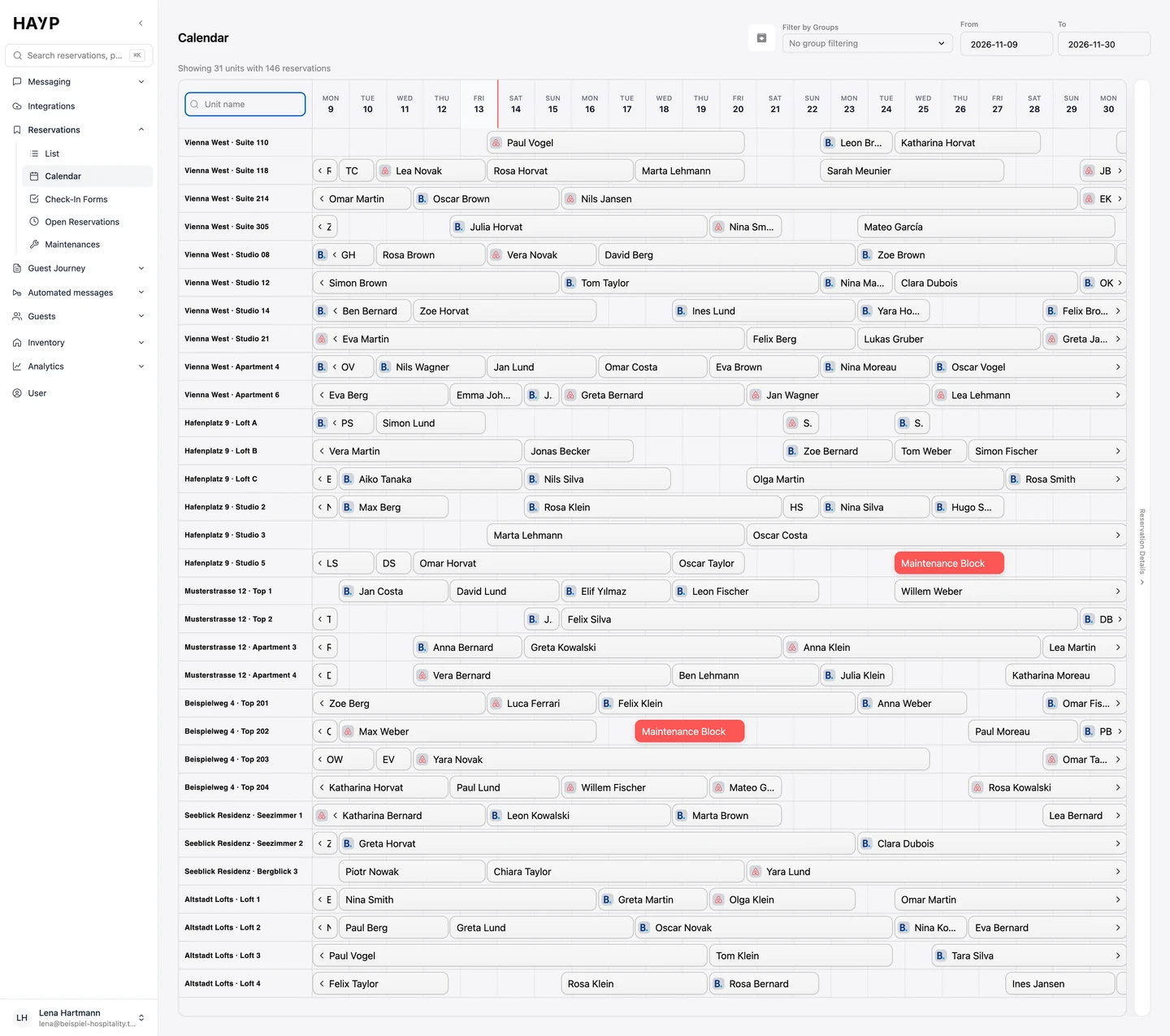
Each unit has its own row, sorted by property. A line above shows how many units and reservations are on screen.
HAYP's multi-property calendar shows every unit of every property on one timeline: reservations with booking channel and guest name, plus blocks and maintenance. It is built for operators with several properties or many units. The data comes live from the PMS, so nobody maintains a spreadsheet.
Most searches for a hotel room planner or occupancy plan end at Excel or print templates. HAYP is not one of them. The calendar is a screen in the HAYP app that fills itself from your PMS. Nobody types anything in.
A template is enough for one property with a few rooms and one person to maintain it. With several properties, bookings from Airbnb, Booking.com and your own website, and teams in different places, any spreadsheet is out of date within hours. That is when you need a room rack that keeps itself current. It needs a connected PMS; Apaleo is integrated directly.
You find the calendar in the app under Reservations.
Each unit has its own row, sorted by property. A line above shows how many units and reservations are on screen.
Each stay is a bar with the guest's name. Bookings from Airbnb and Booking.com carry the channel's logo.
Maintenance and blocks from the PMS appear in red in the unit's row, with their description.
Type the name of a unit, for example “Suite 214”, and only matching rows remain. The group filter shows one or several groups of units that you define yourself.
You set From and To freely, from a few days to several months. The default is the next 31 days.
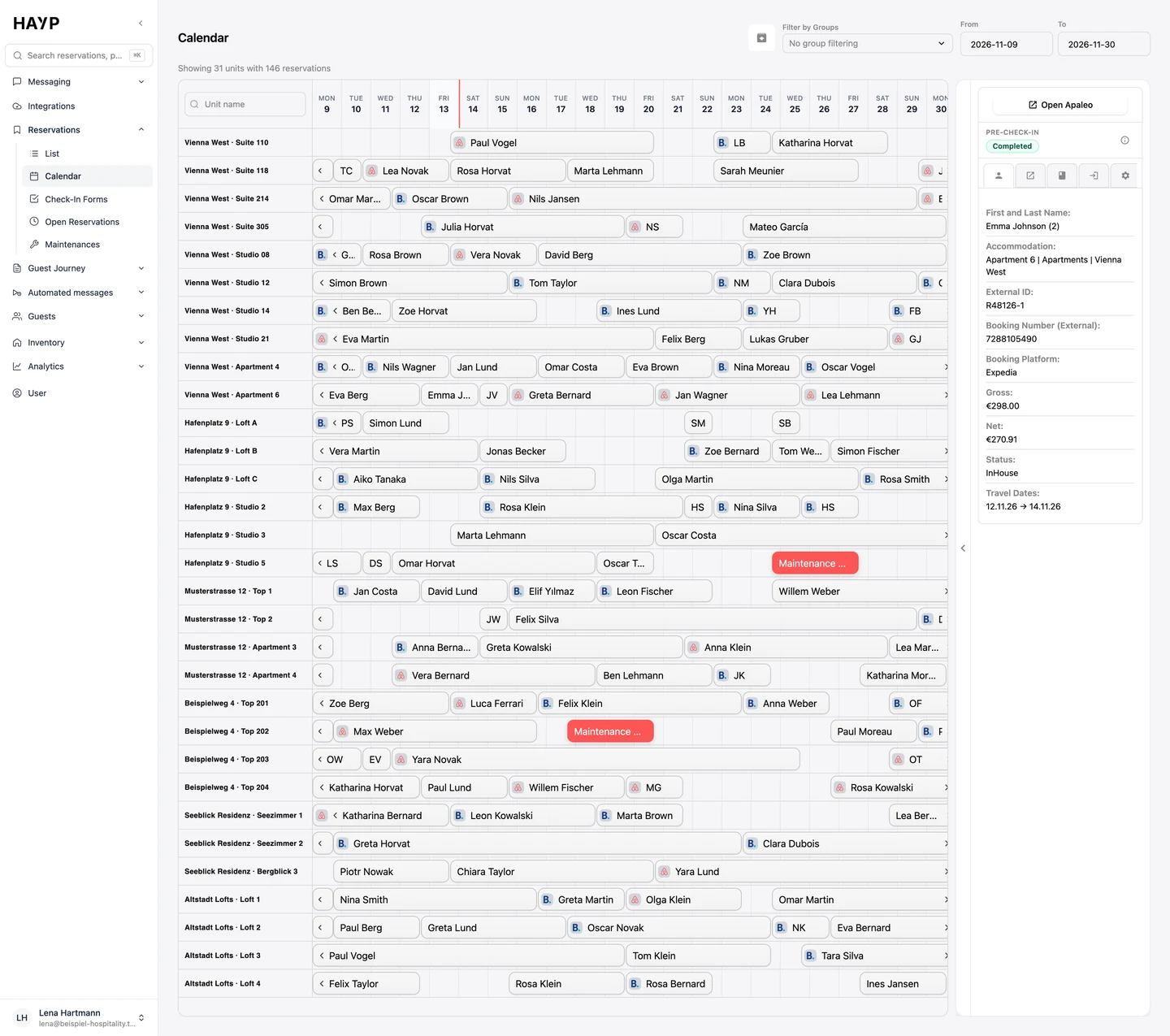
Clicking a bar opens the reservation details on the right: guest, unit, booking number, platform, gross and net amount, status and travel dates, plus a button that opens the reservation in Apaleo.
Clicking a bar opens the reservation on the right with guest, unit, booking number, platform and amount.
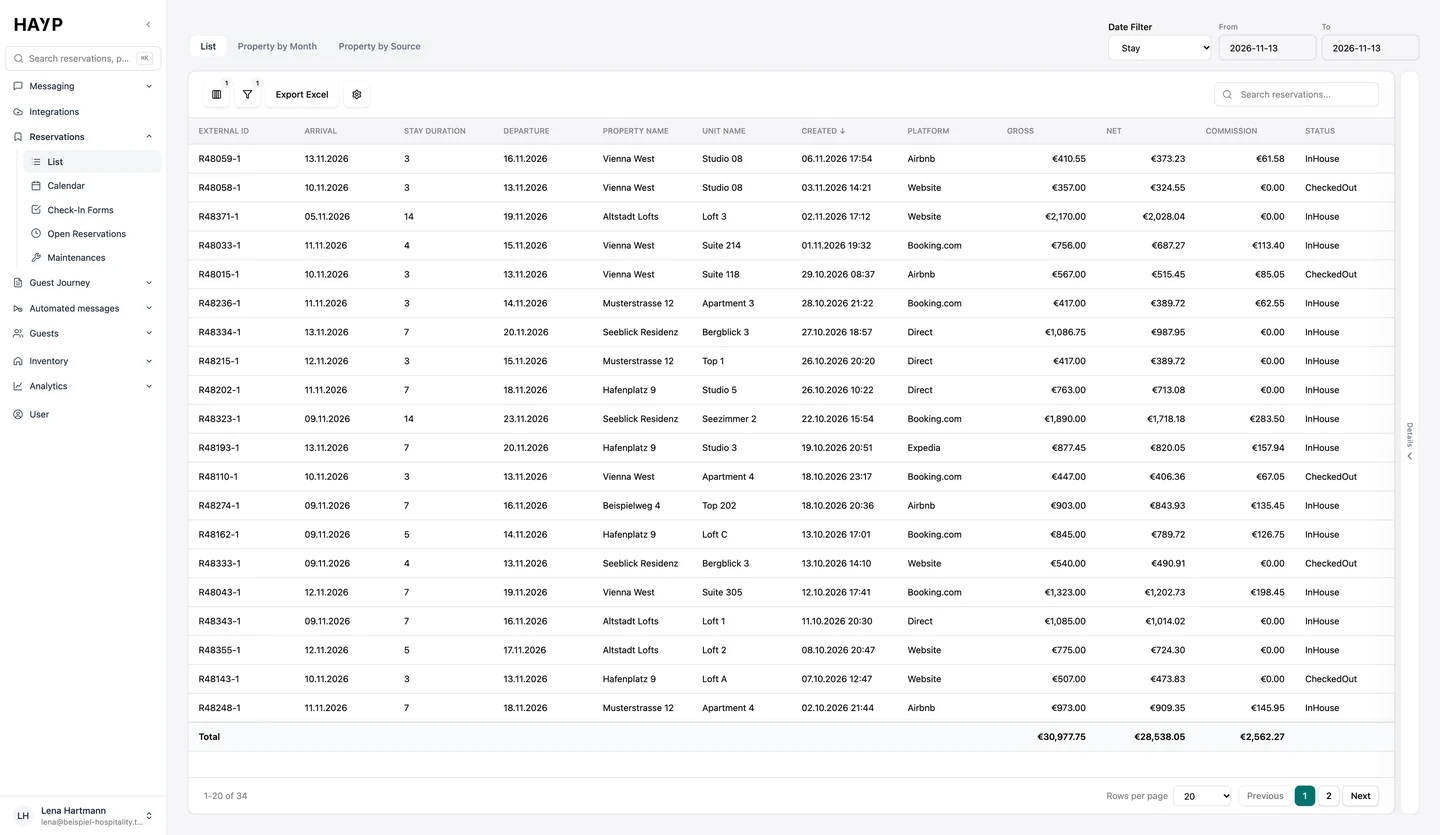
The same stays as a list with totals, filtered by property, period and status.
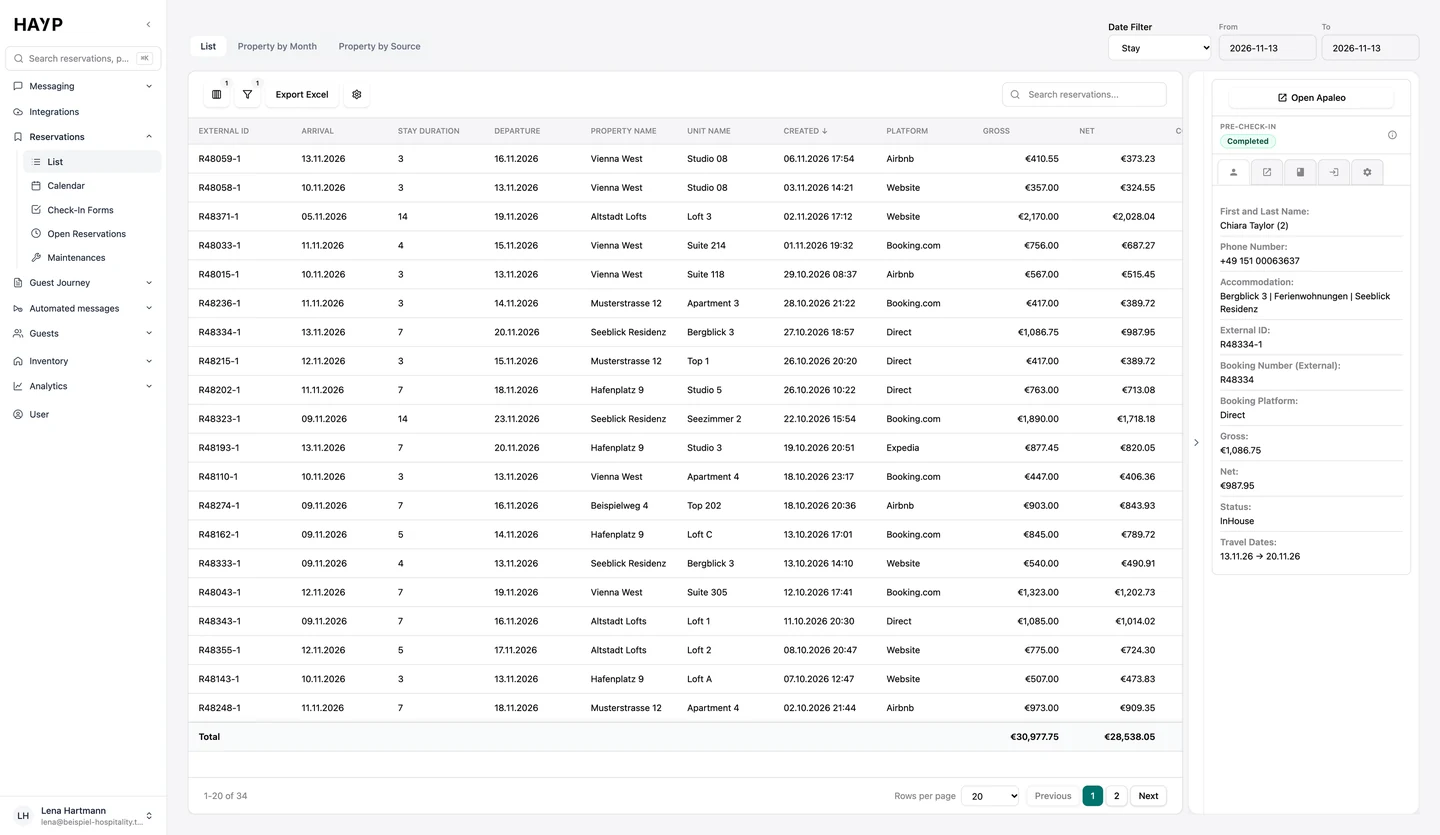
From the list, too, a click opens the reservation with every detail.
The calendar shows who stays where and when. The same menu has four more views.
| View | What it shows | What teams use it for |
|---|---|---|
| List | Every reservation of every property with arrival, departure, unit, platform, gross, net, commission and status. Filters by arrival, stay, departure or creation date, status, property and unit. Two pivot views show revenue per property by month or source. | Finding a booking, preparing the day, exporting to Excel |
| Open reservations | Upcoming reservations without an assigned unit, sorted by arrival, with platform, amount and status. | Seeing what still needs a unit before arrival |
| Check-in forms | Submitted forms per reservation with answers and signature. | Looking up what the guest stated |
| Maintenances | Blocks from the PMS with type (Out of Order, Out of Service, Out of Inventory), dates and nights within the selected period. | Keeping an eye on outages and capacity |
The calendar is part of the Portfolio Operations module: €2 per unit per month, net, with no setup costs and no minimum term. A unit is any bookable unit, whether room, apartment or flat. The module also includes the reservation overview, listings, reviews in one place and room assignment. All modules are on the pricing page.
If you need occupancy, ADR and RevPAR as figures rather than as a picture, use portfolio analytics.
FAQ
No. HAYP provides a calendar that fills itself from the PMS, not a template to fill in. If you need data in Excel, export the reservation list. One export covers up to three months.
Partly: it shows the occupancy of all units of all properties in one view. It does not replace the PMS but sits on top of it. Without a connected PMS it stays empty.
Yes. HAYP counts in units, so a room, an apartment and a vacation rental are treated the same. The calendar is meant for operators with many units and a PMS, not for a single vacation rental.
No. The calendar displays, it does not book. You make changes in the PMS. One click in the reservation details opens the reservation in Apaleo.
From your PMS. With Apaleo, HAYP imports properties, unit groups, units, reservations and blocks and receives changes continuously. The calendar shows the state HAYP holds when you open the view.
It is part of the Portfolio Operations module at €2 per unit per month, net. There are no setup costs and no minimum term. From the 201st unit the module costs €1.50, and above 400 units we prepare an individual offer.
A first version is quick to build. After that, properties, units, reservations and blocks have to stay in sync, permissions per team have to be right and the view has to stay fast with many units. HAYP's multi-property calendar receives changes from Apaleo continuously and is part of the Portfolio Operations module. More on the trade-off under build or buy.
In the demo we show you HAYP with sample data: reservations, calendar, inventory and assignment in one session.