Consent in pre-check-in
In the digital pre-check-in you ask for consents, for example for stay messages via WhatsApp and, separately, for marketing via WhatsApp. The checkboxes are never pre-ticked.
For operators who want to reach guests where they already write: HAYP connects your WhatsApp number directly, with no channel manager. WhatsApp sits in the same thread as Airbnb and Booking.com, and Meta's rules are built into the product.
HAYP works with Meta's WhatsApp Business Platform, the interface for businesses, not with the app on a single phone. You connect your number under Integrations with “Connect WhatsApp”. The connection runs through 360dialog, an official Meta solution provider. You pay Meta's fees from a prepaid balance with 360dialog, with no HAYP markup. No channel manager is needed for this; only Airbnb, Booking.com and Expedia require one.
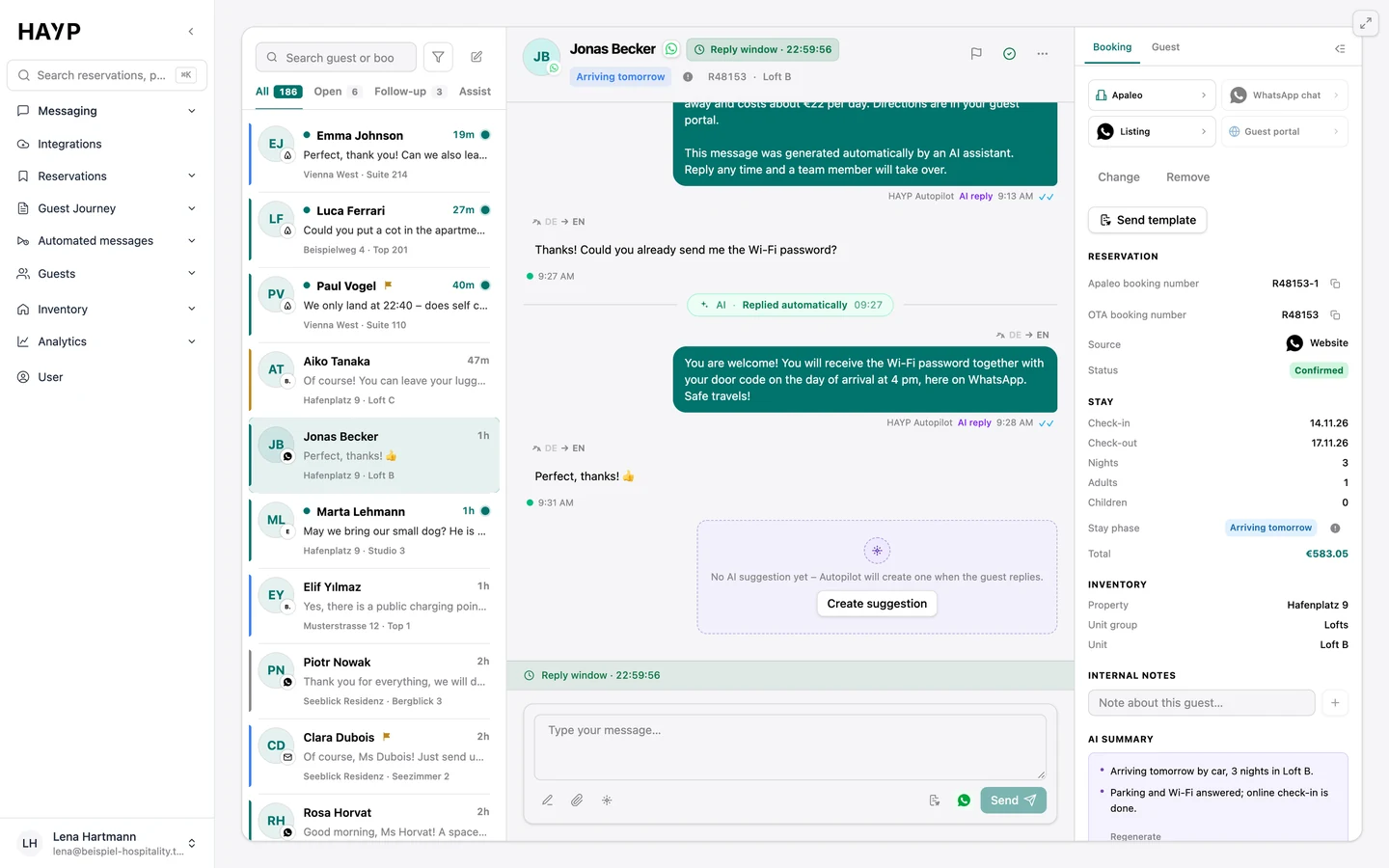
From then on your whole team writes from the same hotel WhatsApp number. The AI Autopilot answers on WhatsApp too, as long as the 24-hour window is open; when it is closed, it hands over to your team. Meta allows automated replies inside the window but requires a clear path to a human. In HAYP that is the handover to your team. HAYP matches every conversation to property and reservation by the guest's phone number. Quality rating, messaging limit and usage of the number are shown in the integration.
Guests can also start the chat: per property you can show a “Contact via WhatsApp” button in the guest portal. It opens a chat with the property's phone number and quotes the reservation number. If that is your connected number, the message lands in the inbox and the 24-hour window is open. How to reach Booking.com and Airbnb guests without a phone number from the platform is covered in the guide to the guest phone number.
Meta's rules depend on whether the guest wrote recently. HAYP shows the state in the thread, so nobody writes a message that cannot be delivered.
| Situation | Meta's rule | In HAYP |
|---|---|---|
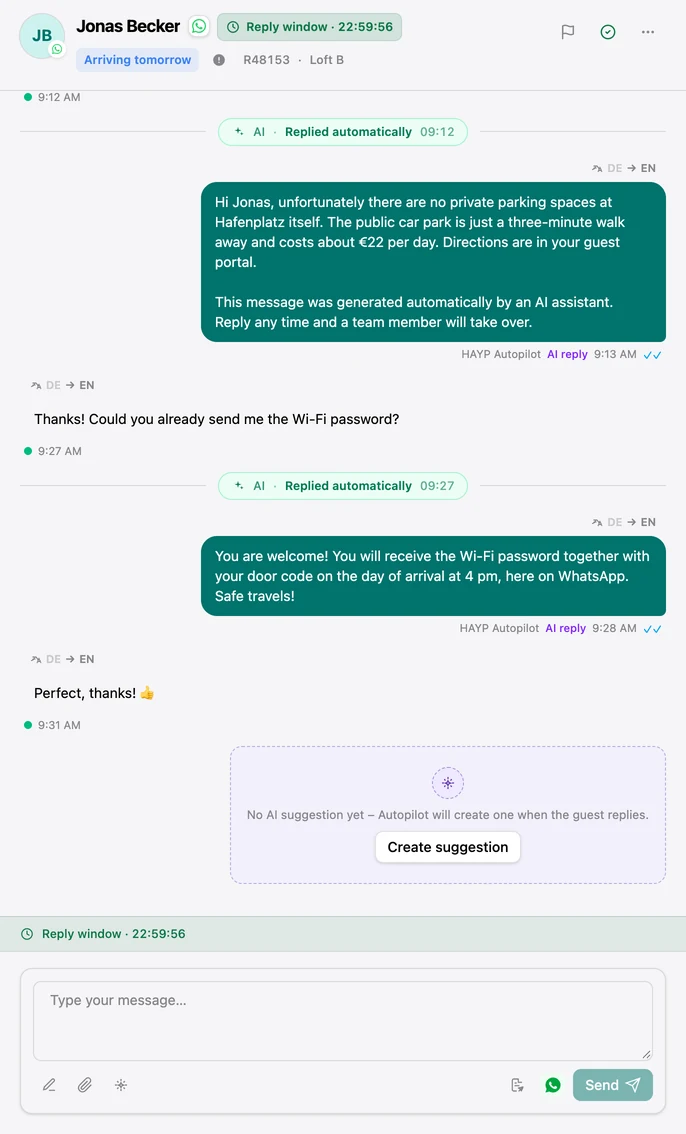
| The guest wrote within the last 24 hours | Free text is allowed. Every new guest message resets the window. | “Reply window” chip with the expiry time in the thread |
| The window has expired, or the guest has never written | Only templates approved by Meta can be sent. | Free text is locked. Your team sends a template or writes an internal note. |
| Scheduled message from the automation | One template per language, reviewed by Meta beforehand | While Meta reviews it, WhatsApp is skipped. The other channels send as usual. |
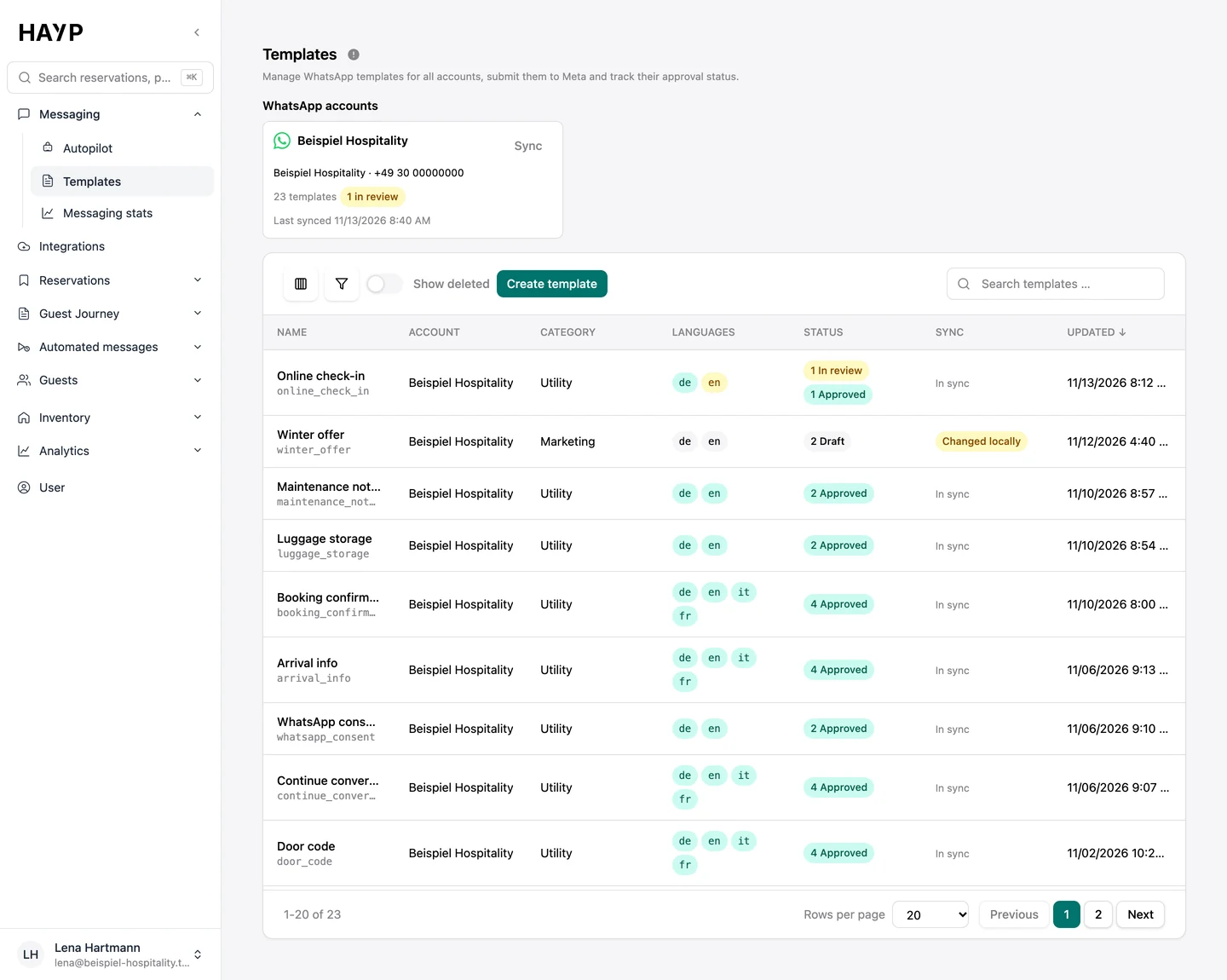
Every template with category, languages and its status at Meta.
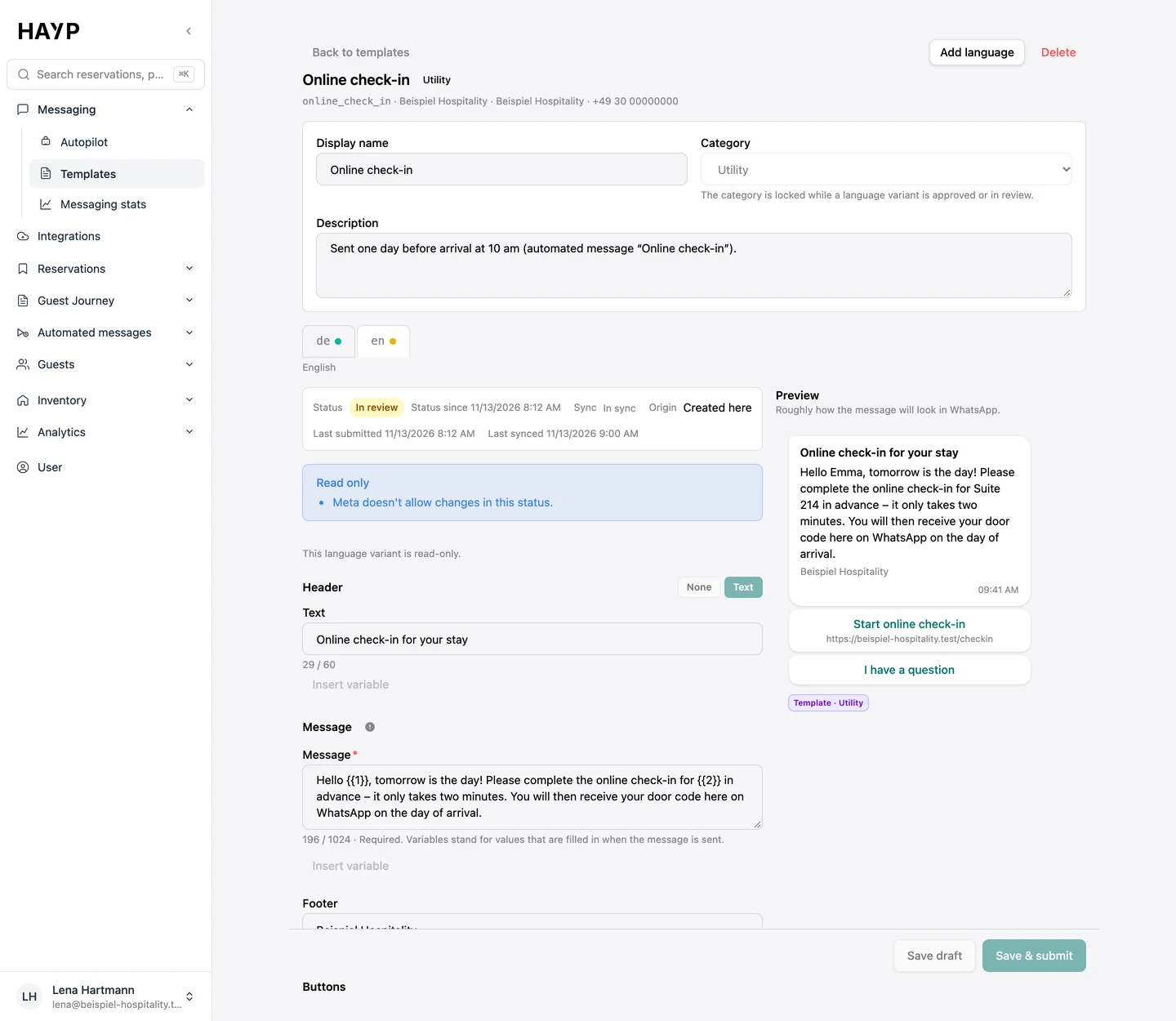
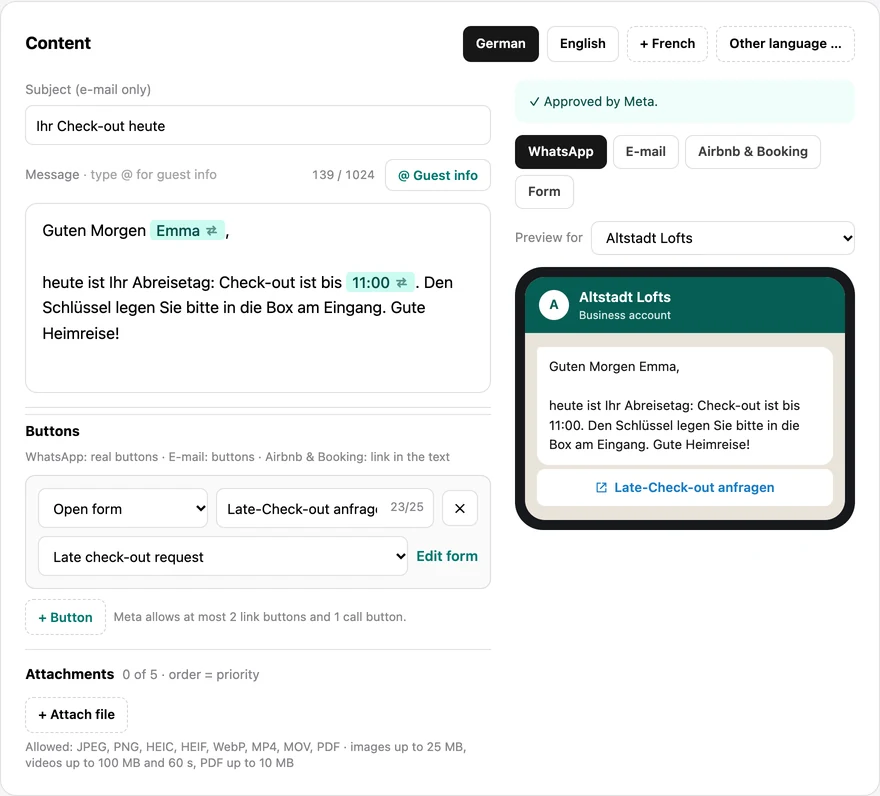
A template in four languages with buttons and preview, approved by Meta.
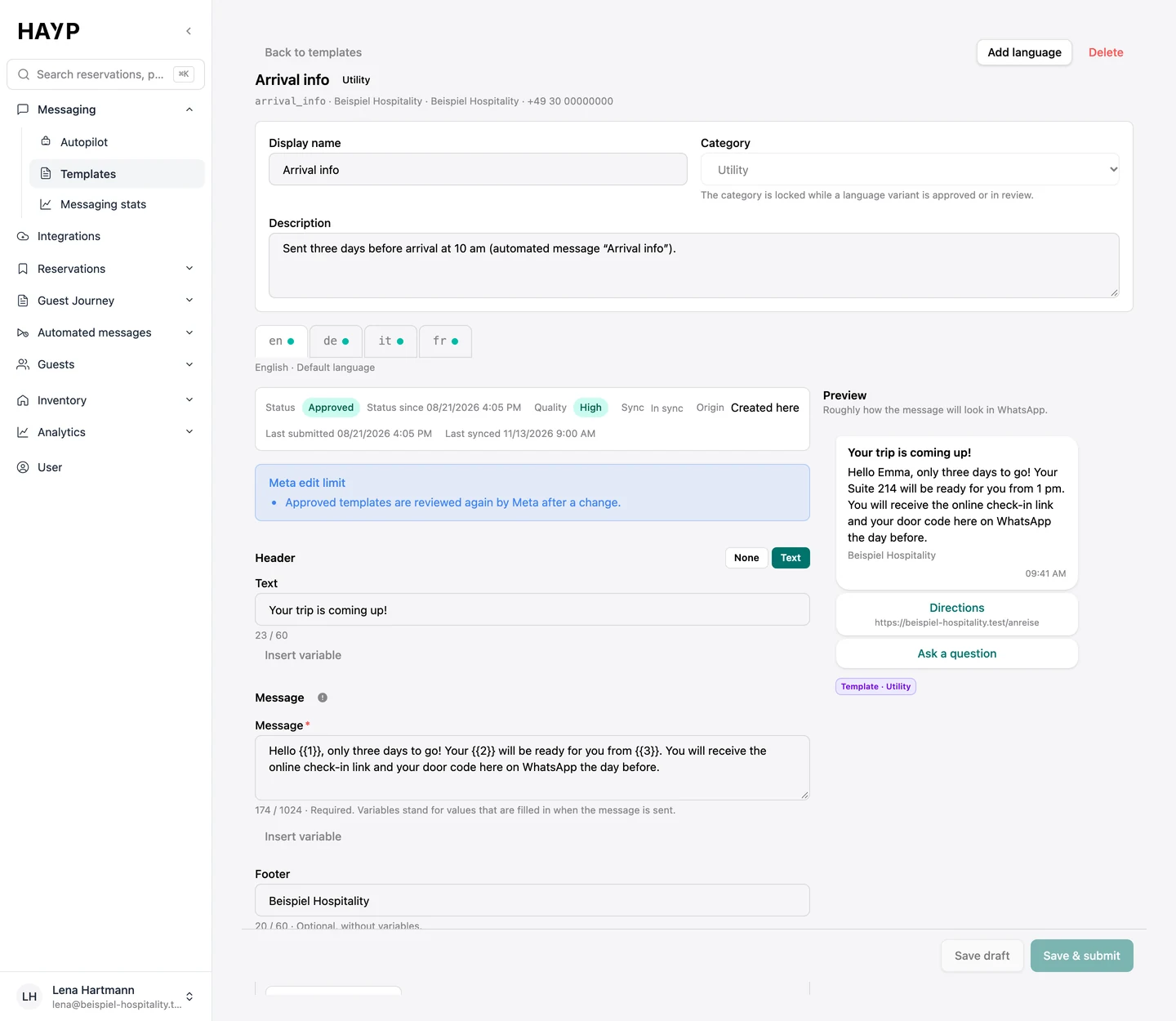
A changed version is with Meta; the old one applies until approval.
In the thread your team sees how long the 24-hour window stays open.
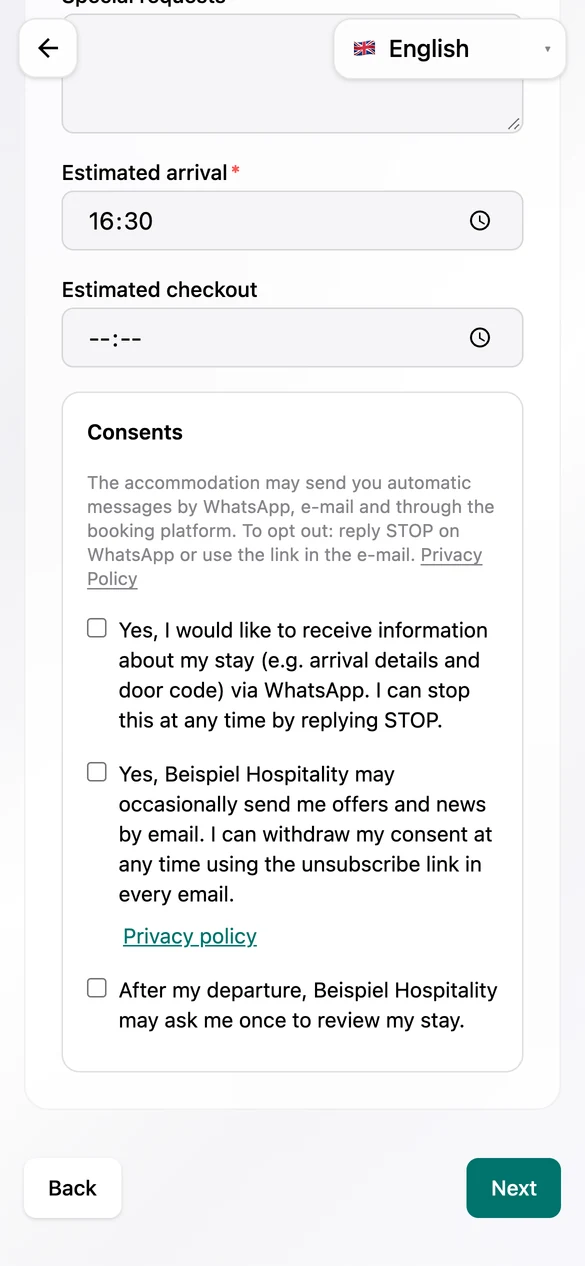
Meta requires that guests have agreed to receive messages and that opt-outs are respected. This is how HAYP handles it:
In the digital pre-check-in you ask for consents, for example for stay messages via WhatsApp and, separately, for marketing via WhatsApp. The checkboxes are never pre-ticked.
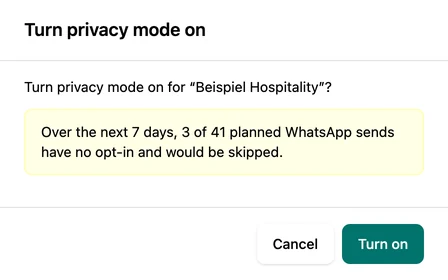
When it is on, automated messages from that number only go to guests with a WhatsApp opt-in. Without one, only the WhatsApp channel is skipped. Before you switch it on, HAYP shows how many planned sends would be affected.
If a guest replies STOP, they receive no more marketing or review requests on WhatsApp; with the privacy mode of the number switched on, no other automated messages either. The status is shown in the thread and in the guest profile, there with time, source and wording of every consent.
The guest decides whether to receive messages on WhatsApp; nothing is pre-ticked.
Before you switch it on, HAYP shows how many planned sends without an opt-in would be dropped.
In automated messages, WhatsApp is one channel next to email and Airbnb and Booking.com. The schedule shows, per property, which message goes out on WhatsApp. Buttons are real buttons there: the guest opens a link or a form, or answers with one tap.
The text of each message becomes a template, one per language, which you submit to Meta from the message. Under “Templates” you track status and quality of all templates and create further ones. If Meta rejects a text, you see the reason and adjust it.
The “Deliverability” view shows the WhatsApp error rate of the last 14 days and properties with a WhatsApp problem, such as a rejected template.
All prices are net. You pay Meta's fees without a HAYP markup, from a balance with 360dialog.
| Item | Price | Note |
|---|---|---|
| WhatsApp Pro number | €49 per month | Fixed monthly price |
| Meta's message fees | about €0.01 to €0.11 per message | Germany: €0.0456 per service or utility message, €0.1131 per marketing message; Austria and Switzerland: €0.0142 and €0.049. 1,000 service messages per number and month free; Meta only charges for delivered messages |
| Guest Experience module | €6 per unit per month | Inbox, Autopilot, Guest CRM, pre-check-in, guest portal and automated messages |
Guest messaging software for multi-property teams: Airbnb, Booking.com, Expedia and WhatsApp in one inbox, one thread per reservation, with context and AI.
Learn moreHAYP's hotel CRM builds one profile per guest from reservations, pre-check-ins and reviews, with duplicate checks, consent history and retention rules.
Learn moreHAYP pricing: Portfolio Operations €2, Guest Experience €6, Analytics €2 per unit per month, channel manager from €49. Net prices, with a calculator.
Learn moreFAQ
Meta provides the WhatsApp Business Platform for businesses and ties it to rules: opt-in from recipients, approved templates outside the 24-hour window and the duty to respect opt-outs. HAYP builds these rules into the product. Whether your use meets data protection requirements depends on your setup; this page is not legal advice.
Free text only works within 24 hours of the guest's last message. Before and after that, only templates approved by Meta can be sent. HAYP shows the window in the thread and locks free text once it has expired.
Meta charges per delivered message; messages from guests to you cost nothing. For templates the rate depends on the category and the recipient's country calling code. For free-text replies inside the 24-hour window, Meta's pricing documentation has listed a free tier of 1,000 messages per number each month since October 1, 2026; further ones are charged.
According to Meta, the number must be owned by you, have a country and area code and be able to receive voice calls or SMS. A landline number therefore works; short codes do not. Whether a number already used in the WhatsApp Business app can be taken over is clarified during setup.
You can, as Meta offers the platform to businesses. Your team would then own the 24-hour window, template approvals, opt-in, opt-out, pricing changes such as the one from October 1, 2026 and matching each chat to a reservation. In HAYP all of this is built into the product, in the same thread as Airbnb and Booking.com. More on the trade-off under build or buy.
We show the thread, templates and privacy mode and work through the costs for your portfolio.