
Countdown and greeting
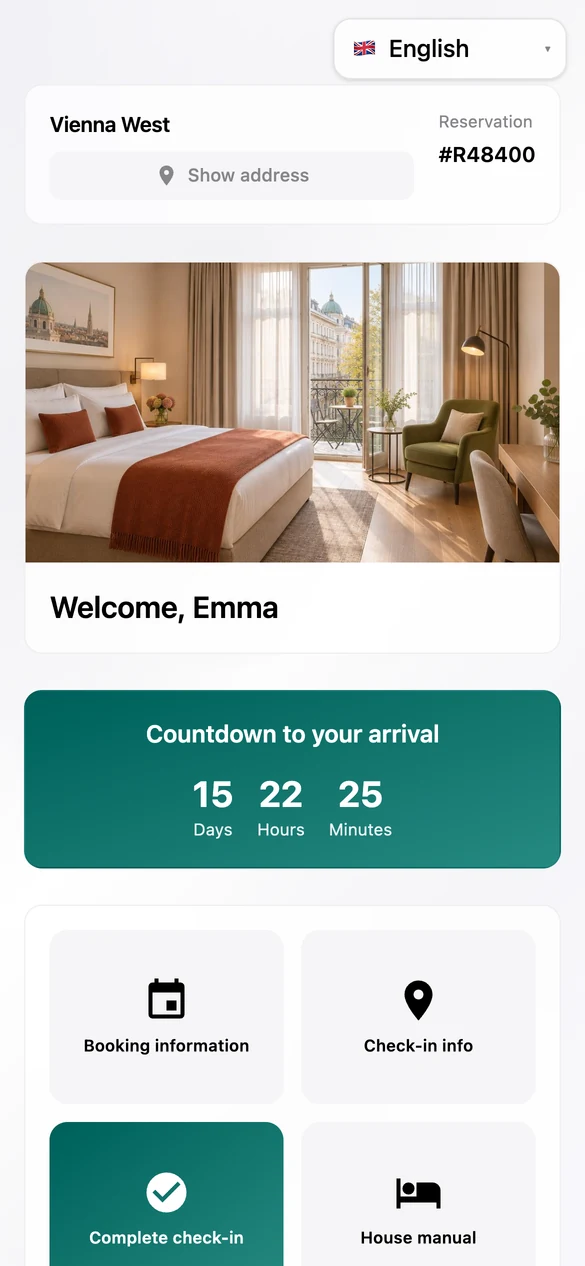
The guest sees their name, the property and how long it is until arrival.
For operators whose guests arrive without a front desk or have questions before they travel: every guest gets their own page with countdown, reservation, check-in info, pre-check-in and chat. It opens on the phone, with no app.
The real guest portal, shown with sample data.
The guest journey is the guest's path through a stay: booking, the days before arrival, arrival, the stay itself, departure. At every stage the same questions come up. When can I check in? How do I get into the building? What is the Wi-Fi password? Who can I reach at night?
In many operations the answers sit in an email, a PDF and a folder in the room. HAYP puts them on a single page: the guest portal. It replaces the printed welcome book, knows the reservation and shows each guest exactly their own details. The guest opens it from a link in an automated message, with no app and no account.
This is what the guest sees. The images show the real interface with sample data.
A greeting by name, a countdown to arrival and tiles for everything else.
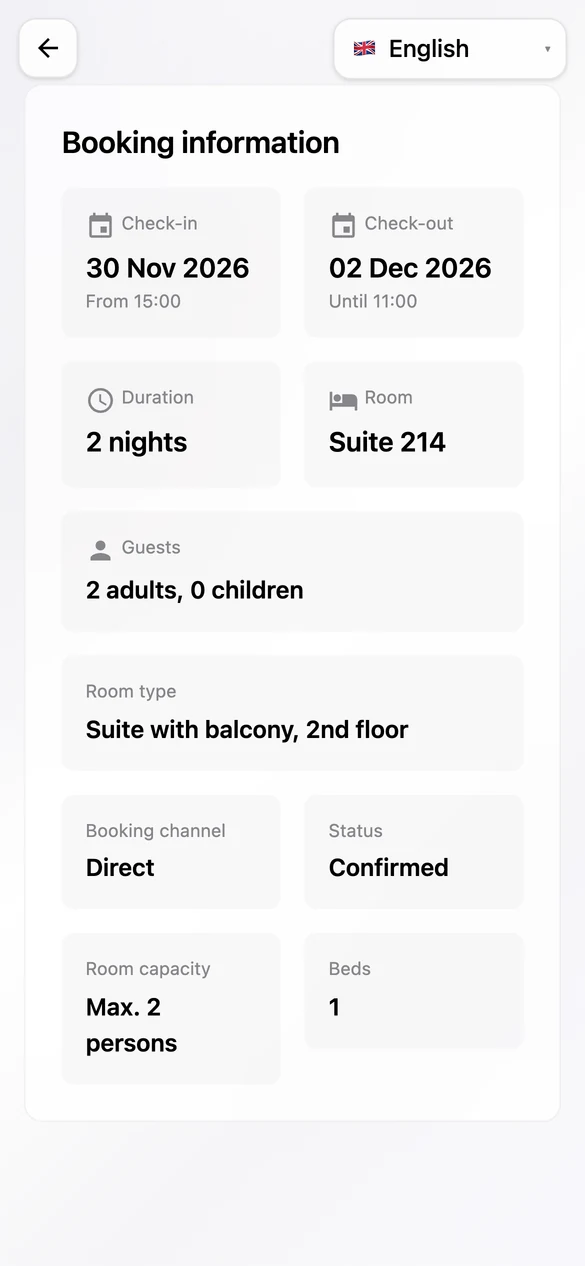
Arrival and departure with times, room, guests and room type, straight from the PMS.
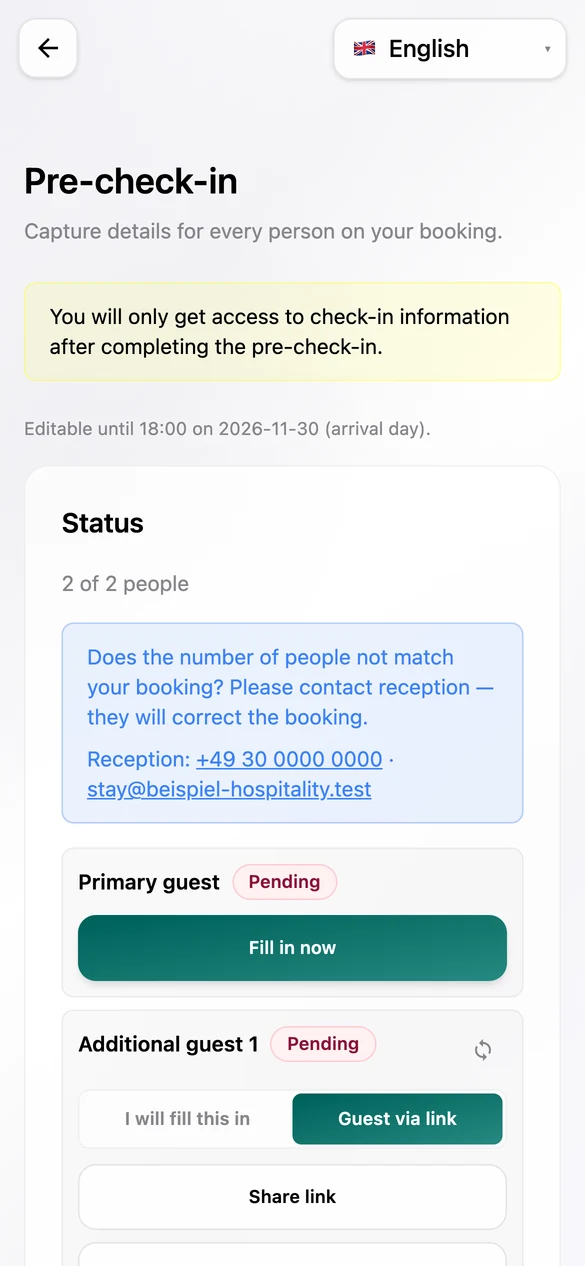
Guests enter their details in advance, for themselves and their companions.
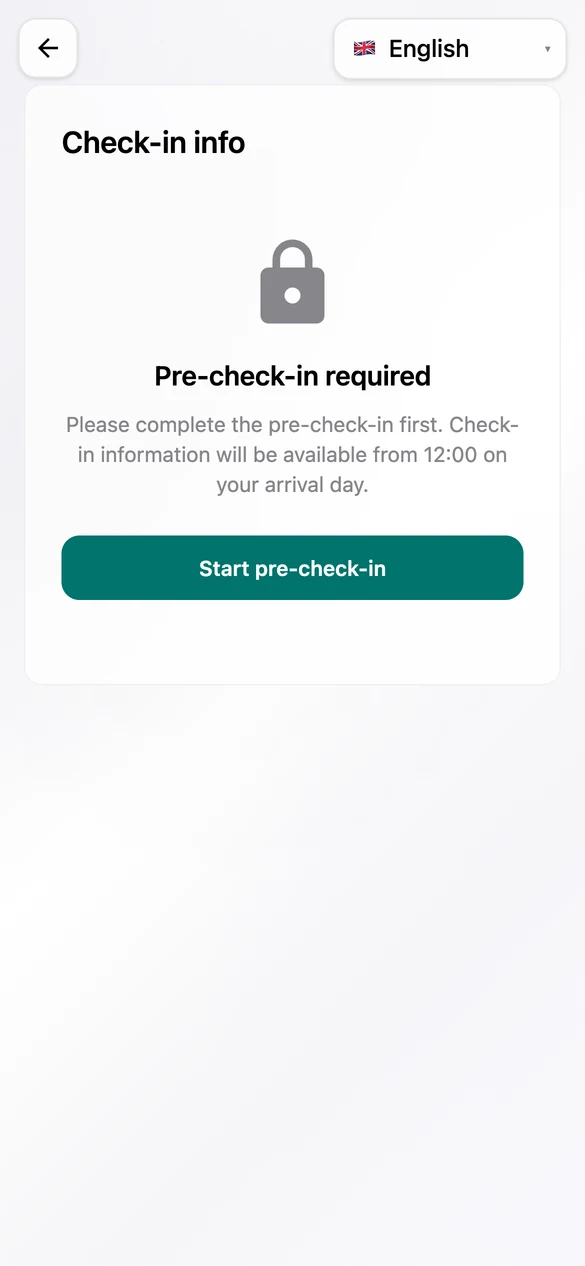
Directions and access appear from the time you set, if you like only after pre-check-in.
The guest sees their name, the property and how long it is until arrival.
Arrival, departure, room, guests and booked services come from Apaleo and stay up to date.
You maintain directions, access, Wi-Fi and house rules per unit. Each guest only sees what applies to their room.
Guests write straight from the page. The message lands in the inbox, in the same thread as Airbnb or WhatsApp.
Guests complete registration details, ID and consent in advance. More under digital check-in.
German, English, French, Spanish, Italian and Ukrainian. The page starts in the browser's language.
The TTLock integration is in preparation. The door code will then come from the lock instead of sitting as text in the check-in info.
Valid Nov 30, 3 pm to Dec 2, 11 am
Pre-check-in completeConcept with sample data. The feature is not available yet.
Today you maintain check-in info per unit. For larger properties we are building a matrix: you set a piece of information at the level where it applies, and everything below inherits it.
Concept with sample data. The feature is not available yet.
We are planning guidebooks per property. Your team builds instructions from single steps, such as the way from the street to the room, and the guest walks through them in the guest portal.
Enter your code on the keypad to the right of the door and confirm with the hash key.
NextConcept with sample data. The feature is not available yet.
| Feature | Status |
|---|---|
| Guest portal with countdown, reservation, check-in info, house manual and contact | Available |
| Pre-check-in and guest chat | Available |
| Automated messages with a link to the guest portal | Available |
| Room codes through TTLock | Coming soon |
| Information matrix for property, category and unit | Coming soon |
| Guidebooks with steps, photos and videos | Coming soon |
The guest portal is part of the Guest Experience module: €6 per unit per month, net, with no minimum term. With our guide you set up the module yourself for free; if HAYP does the setup, it costs a one-time €100 per property. The same module contains the inbox with AI Autopilot, the Guest CRM, pre-check-in and automated messages. The pricing page shows all modules.
FAQ
A guest portal bundles the information about a stay on one page the guest opens on a phone: arrival, access, Wi-Fi, house rules and contact. HAYP's guest portal also knows the reservation and shows each guest their own details.
No. The guest portal opens from a link in the browser, with no app and no account.
Through a link in an automated message, by email, WhatsApp or the booking channel's chat. You decide in the schedule when it goes out.
Guest journey describes every touchpoint between a guest and the property, from booking through arrival and the stay to departure and review. HAYP covers it with automated messages, pre-check-in, the guest portal, chat and review requests.
Today it shows the access information you maintain per unit. A TTLock integration is in preparation; the room code will then come from the lock. Other locking systems we connect on request.
Both are in preparation; we are not naming a date yet. The images on this page are concepts and marked as such.
For a property with a few rooms that is often enough. But a PDF knows no reservation: it shows everyone the same thing, has to be re-sent after every change and does not know whether pre-check-in is done. The guest portal shows room, times and access per guest and is tied to the inbox and the schedule. More under build or buy.
In the demo we walk through the guest portal on a phone, with sample data, and show what is coming next.